App Reviews
Google Sheets vs Excel for Small Business Lists
Choose a maintained row-based record by accounts, shared-file location, mobile editing entitlement and what a filtered view actually means.
Published , 6 min read, by Copied Editorial team
Choose Google Sheets or Excel for a small-business list by the record you need to maintain and the accounts people already use. Consider Sheets for a shared list in your existing Google arrangement. Consider Excel when the maintained workbook already belongs in your Microsoft setup. Check the actual web or mobile entitlement, cloud location and recipient access before moving work. A short list may need neither a new subscription nor a more complex app.
This comparison serves independent providers and small-business owners maintaining simple rows of work information. We reviewed official sources on October 23, 2026. We have not opened test accounts, edited a workbook on a device or tested file conversion. The sample below is fictional. It is a proposed evaluation of a materials register, rather than accounting, stock-control or financial advice.
Start with what one row represents
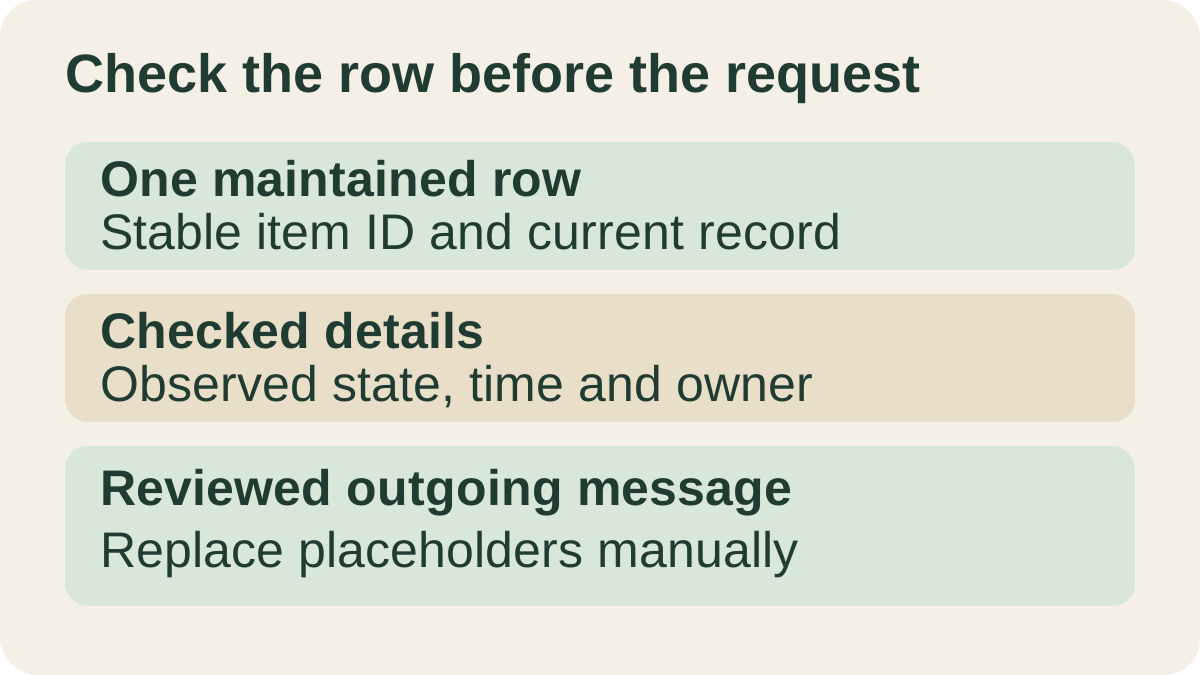
A row should stand for one identifiable thing. For a materials register, that might be a display stand or a sample pack. Decide which details someone is responsible for checking: an item ID, a location, an observed state and the time it was checked. Keep those meanings consistent before selecting software. Otherwise two well-designed apps can hold equally confusing records.
Use the Google Docs and Microsoft Word comparison when the output is maintained prose. The Trello and Notion guide covers project stages and pages. If the real job is gathering answers from other people, the Forms and Typeform comparison addresses collection. A spreadsheet is a candidate when the repeated structure across rows is useful.
Free web access and phone editing are different questions
Google’s Sheets overview says anyone with a Google Account can create in Sheets and describes phone, tablet and desktop access. Some additional features require Google Workspace plans. Check the specific feature you need before choosing a plan.
Google’s account-storage guide lists up to 15 GB shared across Gmail, Drive and Google Photos. That is an account allowance, not storage dedicated to Sheets. A work or school arrangement may have a different plan. Check the account that will own the actual file before assuming a small sheet means the account has room.
Microsoft’s free web offer includes Excel for the web through a Microsoft account and 5 GB of OneDrive cloud storage. Its collaboration footnote requires files to be saved in and shared from OneDrive. This is an ongoing web offer, distinct from a desktop subscription or a temporary trial. A free web route does not establish that a particular business workbook is free to edit in a native phone app.
Microsoft’s mobile-subscription guide makes available features and files depend on the plan and device. It describes basic editing under non-qualifying plans specifically for non-business accounts and files. Check the intended account, business file, device and required action against that guide before relying on mobile editing.
| Question | Google Sheets consideration | Excel consideration |
|---|---|---|
| Where does the record already belong? | An existing Google account and shared-list arrangement | An existing Microsoft workbook and intended cloud location |
| What does the free claim cover? | Account-based creation; check shared account storage and any separately paid features | The ongoing web offer is distinct from desktop and business mobile entitlements |
| Who must edit from a phone? | Check the intended mobile action with a harmless sample | Check account, file, plan and device requirements before promising editing |
| What would justify changing tools? | A named requirement your present list cannot meet | A named requirement your present workbook cannot meet |
Choose one current file and the people who can use it
For Sheets, Google’s sharing documentation distinguishes Viewer, Commenter and Editor for files in My Drive. It also explains that higher access inherited from a parent folder cannot simply be reduced by giving a lower role on the file. Inspect the existing arrangement before relying on a list as a client-specific view. Do not invite a person merely to discover later which other information is exposed.
Microsoft’s co-authoring guide describes a shared workbook stored in OneDrive, OneDrive for Business or SharePoint Online. Its web instructions are separate from the desktop-app requirements, which depend on a supporting version and subscription. A local attachment passed between people should not be assumed to be the same maintained cloud workbook. Confirm the real file location and editing route rather than treating the Excel name alone as evidence of collaboration.
Name the current record and the person who maintains it. Before asking for an update, check that the recipient can reach that record through the intended account and has the appropriate role. Keep the cloud-file home decision separate from choosing how the rows work. Confirm the intended recipient’s access before sharing real work.
A useful view is not a private slice of the workbook
Google’s computer filtering guide distinguishes an ordinary filter that other people with access can see from a filter view that applies to your view. A viewer can make a temporary filter view, which is not saved. This is a documented computer workflow; it does not prove that every corresponding phone action is available. For Excel, evaluate the view behavior in the client you intend to use.
Google’s sheet-protection guide warns that protection should not be used as a security measure and that hidden sheets can still be accessed. Microsoft’s Excel protection explanation likewise distinguishes worksheet protection from security. A tidy filtered view or a locked cell is not evidence that a recipient is restricted to the information currently visible. Evaluate actual file access independently; keep private material out of a sample shared for evaluation.
Rehearse a fictional materials register
Imagine a craft workshop keeping track of display materials. This illustration uses invented items and states, with no customer information, real quantities or live operational decisions. The owner wants another willing participant to check one item and record what they observed. It is not an executed test or an inventory-system endorsement.
| Field | Fictional example | Why define it? |
|---|---|---|
| Item ID | STAND-A | Identify the same item after a sort or view change |
| Location | Sample shelf | State which place the observation concerns |
| Observed state | Needs a fresh label | Keep an observation separate from an assumed promise |
| Checked time | [actual observation time] | Show how current the information is |
| Responsible updater | [agreed person] | Make ownership explicit |
In a harmless copy made for evaluation, first find the item by its ID. Ask the authorized participant to confirm the intended row and the meaning of the state before changing anything. Then review the record through each intended device and account. Can the person find the right item, read enough context and make only the intended update? Record the outcome you actually observe.
Keep the sample small enough to understand without formulas. If sorting or filtering changes what appears on screen, check that the item ID and its associated details remain understandable together. Use an ordinary text explanation when a narrow phone view makes the relationship between columns hard to read. This proposed check does not establish lossless conversion, calculation accuracy, reliable offline behavior or identical app features.
Reuse the request, not an unverified live value
A reusable update request could say: “Please check item [ID] in [current record link]. Confirm [one detail] and record when you checked it.” Replace every placeholder and review the destination before sending. Keep a changing state or count in the maintained record; an old message is not evidence of the current value. The iPhone link-reuse guide covers keeping a reusable URL, separate from whether its target is current or accessible.
Copied’s product description presents text Keys for iPhone and iPad. If asking for this kind of update is a separate recurring phone task, an owner can evaluate one generic Key in a compatible field and replace the item details manually. Some apps and secure fields limit third-party keyboards. Copied is not established as a spreadsheet connector, row lookup, formula engine or live data source; it does not read or update the workbook or send the request automatically.
Keep the spreadsheet that already fits the record, participants and actual editing entitlement. When recurring wording remains a separate need, evaluate Copied for iPhone and iPad with one harmless draft. Add a new app or subscription only for a requirement you can name. If ordinary typing and your present list are sufficient, keep them.
References
- Google, Google Sheets: Online spreadsheets and templates Google Account creation and documented mobile/tablet/computer access; additional features may require Workspace plans. Reviewed October 23, 2026.
- Microsoft, Free Microsoft 365 Online Ongoing web offer, Microsoft account and OneDrive storage/collaboration scope. Reviewed October 23, 2026.
- Google, Sort & filter your data Computer filters, personal filter views and temporary viewer views. Reviewed October 23, 2026.
- Google, Protect, hide & edit sheets Sheet protection and hidden content are separate from access security. Reviewed October 23, 2026.
- Microsoft, Collaborate on Excel workbooks at the same time with co-authoring Cloud workbook location and supported co-authoring clients. Reviewed October 23, 2026.
- Microsoft, Mobile apps with a Microsoft 365 subscription Mobile editing depends on account, file, plan and device. Reviewed October 23, 2026.
- Google, Share files from Google Drive My Drive roles and inherited parent-folder access. Reviewed October 23, 2026.
- Microsoft, Protection and security in Excel Worksheet protection prevents edits to locked cells; it is not a security feature. Reviewed October 23, 2026.
- Copied, Copied product overview Manual reviewed reusable Keys in compatible iPhone and iPad fields. Reviewed October 23, 2026.
- Google, How your Google storage works Included storage is shared across Gmail, Drive and Google Photos. Reviewed October 23, 2026.