App Reviews
Google Docs vs Microsoft Word for Small Business Documents
The useful choice depends on the document your client must edit or read. Compare the actual app, account and required features before committing to a workflow.
Published , 6 min read, by Copied Editorial team
Choose Google Docs when its document workflow fits your collaborators and required output. Choose Word for the web when browser-based Word covers the job; consider licensed desktop Word when a required feature is absent from the web version. Both support collaboration. The deciding question is what the client must receive, review and edit, rather than which product name sounds more professional.
This comparison serves independent businesses preparing client briefs, service guides and similar working documents. It uses current Google and Microsoft documentation reviewed on October 20, 2026. We did not test document conversion, account entitlements or mobile editing. Copied publishes this guide; its optional role is manually reusing approved wording or released files, separate from authoring the document.
Start with the client's required document
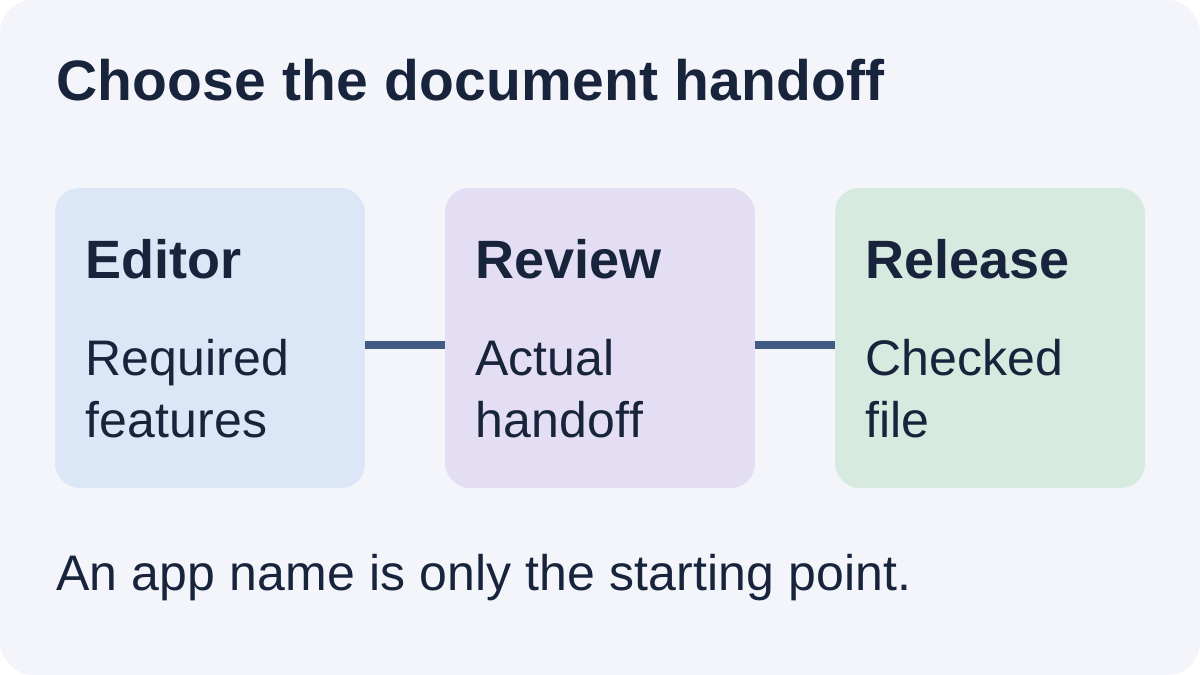
Before choosing an editor, write down the required editable format, the review process and any document feature you cannot omit. A two-page service guide with ordinary headings may have different needs from a supplied Word template with particular sections. A recipient who only needs to read an approved copy has another requirement again.
| Decision | What to establish | Why it affects the choice |
|---|---|---|
| Editable delivery | Does the client request a Word file or access to a shared document? | Choose the actual handoff you must maintain |
| Required structure | Which headings, tables, section controls or other features are essential? | Check the app version instead of assuming parity |
| Review process | Do reviewers need comments, tracked edits or comparison of separate revisions? | These are different ways of reviewing |
| Account and environment | What app and account will each reviewer use? | A working author view does not prove recipient access |
For capturing quick ideas rather than preparing a structured deliverable, see Apple Notes versus Google Keep. For where files live and who can access them, our Drive versus Dropbox comparison owns that separate storage decision.
Compare Google Docs, Word web and Word desktop
Google's Docs overview says anyone with a Google Account can create documents and describes co-editing. Some additional features require Workspace plans. Choose the account and workspace that fit your business requirements; the ability to create a document does not establish every administrative or paid feature.
Microsoft's web-versus-desktop feature matrix lists real-time coauthoring, Track Changes, version history and PDF export for both Word environments. It lists offline authoring, macros, section breaks and comparing or merging revisions on the desktop side. Do not reduce the choice to “Docs collaborates and Word does not”; identify the specific feature your document needs.
| Route | Useful scenario to evaluate | Material boundary |
|---|---|---|
| Google Docs | Your collaborators can work in its document environment | Check the required file handoff and any plan-dependent feature |
| Word for the web | You need browser Word and its supported editing/review features | Web capabilities are not the complete desktop feature set |
| Word desktop | An essential document feature calls for the installed application | Confirm the appropriate licence and the recipient's actual workflow |
These are scenario recommendations based on documentation, not benchmark scores. If your current editor already produces the required document and reviewers can use it, changing products merely to follow a ranking adds another handoff to assess.
Separate free web access from a business plan
Microsoft's free-web-app explanation describes Word for the web with a Microsoft account and 5 GB of OneDrive storage. That account route is different from a desktop-app subscription. It does not establish that every mobile, organizational or premium feature is included.
Microsoft's current business plan comparison distinguishes Business Basic's web and mobile apps from Business Standard's desktop, web and mobile apps. Those are paid plans; a trial offer is not an ongoing free tier. Check the relevant business account rather than transferring a personal offer's entitlements to it. We omit numerical paid prices and do not interpret licence terms.
Start with the Google Account and document environment your collaborators already use. If your business needs additional Workspace capabilities, check the relevant plan before committing. An account that can create a document does not establish every business feature.
Understand Office editing and conversion in Docs
Google's Office-file guidance distinguishes editing an Office file in its original format from converting it into a Google document. On the web, direct Office editing supports editing, comments and collaboration with changes saved in the original Office format. Converting creates a copy. Those routes should not be treated as the same working record.
Google's computer download instructions describe File, Download and choosing a file type to obtain a copy. That is an output step to check, not evidence that a complex document survives every round trip unchanged. Use the current computer controls; this is not a mobile-menu tutorial.
If a client supplies an editable template, keep a clearly identified source and evaluate a representative document before moving live work. Do not infer support for macros or particular layout controls merely because a file opens. Opening, editing, reviewing and returning the required deliverable are separate checks.
A fictional service-guide acceptance card
Imagine a studio preparing a short service guide that a client will revise before receiving a reading copy. This is an editorial example, not a customer project or a tested outcome. A useful acceptance card could look like this:
| Requirement | Proposed check | Decision if it is essential |
|---|---|---|
| Two headings and a scope table | Inspect the actual structure in the recipient's editor | Keep the route only if it meets the stated document need |
| An intentional section break | Check the supported app controls and the returned document | If unavailable in Word web, assess an appropriately licensed desktop route |
| A reviewer changes one sentence | Agree whether you need tracked edits or comparison of separate revisions | Do not substitute one review method without checking the requirement |
| The client requests an editable Word document | Open the representative handoff in their intended environment | Review layout and editability; no lossless-conversion claim |
| An approved reading copy | Check its visible text, pages and release version | Resend the reviewed release rather than an ambiguous draft |
Use harmless sample content for the evaluation. Record the authoring app, required features and intended recipient environment alongside the result you actually observe. If you have not run that check, keep it marked as pending rather than describing the proposed method as successful.
Keep document creation separate from repeat delivery
Copied's product description presents personal Files for organizing, previewing and sharing supported files on iPhone and iPad, alongside reusable text Keys. If you repeatedly send an already approved service guide, evaluate that released file in Files. File Copy and Paste from its keyboard depend on the receiving app supporting that content type.
Copied is not claimed to edit the document, convert a Google file, preserve Word formatting or maintain a shared editable master. A retained release also needs review when the source changes. Inspect the version, recipient and attachment or destination before manually sending. An accompanying Key can contain approved introductory wording without becoming the document itself.
Our iPhone file-reuse guide explains the separate delivery workflow. For the broader mix of document, task and customer-message tools, see apps for small businesses.
Choose the smallest editor route that satisfies the real document and review requirements. If retrieving the same approved released files is a recurring phone task, explore Copied for iPhone and iPad with one harmless file. The evaluation is whether you can find, review and reuse the correct release in a supported destination.
References
- Google, Google Docs: Online Document & PDF Editor Google Account creation, co-editing and plan-dependent features. Reviewed October 20, 2026.
- Google, Work with Microsoft Office files Direct Office-format editing versus conversion that creates a copy. Reviewed October 20, 2026.
- Google, Create, view, or download a file Computer download workflow for obtaining a file copy. Reviewed October 20, 2026.
- Microsoft, What's the difference between a Microsoft 365 subscription and free web apps Free account web apps and the separate desktop subscription boundary. Reviewed October 20, 2026.
- Microsoft, Word Features Comparison: Word for the web vs Desktop Document capabilities in Word web and desktop environments. Reviewed October 20, 2026.
- Microsoft, Microsoft 365 business plans and pricing Business Basic web/mobile versus Business Standard desktop access. Reviewed October 20, 2026.
- Copied, Copied product overview Publisher-declared Files and reviewed text reuse in supported destinations. Reviewed October 20, 2026.