App Reviews
Google Drive vs Dropbox for Small Business Files
Choose cloud storage by who needs to edit or view your files. Compare ongoing free allowances, recipient accounts and the difference between shared access and a copy.
Published , 6 min read, by Copied Editorial team
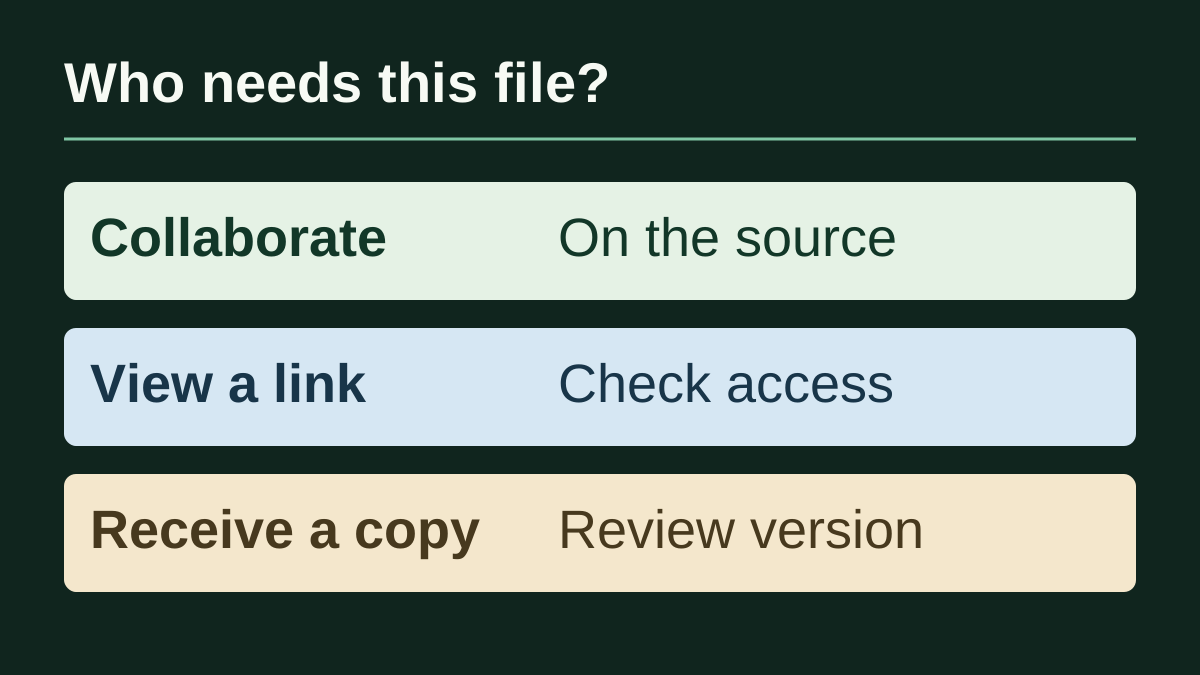
For small-business files, start with Google Drive when its account arrangement and view, comment or edit roles fit your work. Consider Dropbox when its file-sharing routes suit your recipients and its storage and device limits are sufficient. A customer opening a service sheet and a collaborator updating it need different access. Choose that arrangement before choosing by storage size alone.
This guide is for independent service providers, sellers and freelancers maintaining everyday documents from an iPhone. We reviewed official documentation on October 15, 2026; this is a documentation-based comparison, not a hands-on speed or security test. Copied publishes the guide. Its optional role is manually reusing appropriate accompanying wording or a reviewed personal file copy, after you choose where the maintained source belongs.
Compare the ongoing free allowance and the recipient's job
| Decision | Google Drive | Dropbox |
|---|---|---|
| Starting free storage | Up to 15 GB for a standard Google Account, shared with Gmail and Google Photos | Basic starts with 2 GB |
| Give someone a role | Viewer, Commenter or Editor; account and folder context matter | Named sharing offers view or edit access; recipients need a Dropbox account and sign-in |
| Let someone open a link | Anyone-with-the-link access can allow viewing without Google sign-in; restricted access is different | A viewing link can let a person without Dropbox open and preview the file |
| Use several devices | Confirm your actual apps and account arrangement | Basic allows three signed-in desktop/mobile devices; browser sign-in does not count |
| Join a shared folder | Review inherited folder permissions | Folder membership can consume the recipient's storage; receiving a shared link is different |
These are ongoing account allowances, not a trial or proof that a free download includes every business feature. The sources are Google's account-storage guidance and iPhone sharing guide, plus Dropbox's Basic, device-limit and sharing documentation below. For appointments, tasks and other jobs, see our everyday small-business app stack.
Google Drive: decide who needs to change the source
A standard Google Account includes up to 15 GB at no charge across Drive, Gmail and Google Photos. Google's explanation does not mean that all of that capacity is available for your next business upload. Check current usage and account ownership. A personal allowance does not establish a free Google Workspace business plan or an organization-managed file arrangement.
Google's current iPhone and iPad sharing guide distinguishes Viewer, Commenter and Editor. It also separates restricted access from anyone-with-the-link access, which permits viewing without Google sign-in. Work or school administrators may limit external sharing. Do not broaden a private document's access simply to remove a sign-in step.
Folder access needs attention: the same guide says files inherit their parent folder's permissions. You cannot give a person less access to a child file than they already have through the folder. For a customer-facing sheet, inspect the folder context as well as the file's immediate sharing screen. A narrowly chosen file does not automatically imply narrowly chosen access.
Dropbox: separate a viewing link from folder membership
Dropbox Basic is an ongoing free plan starting with 2 GB. Its device guide counts sign-ins through desktop and mobile apps toward Basic's three-device allowance; signing in at dropbox.com does not count. Count your intended phone, tablet and computers before deciding the allowance fits. This is a plan limit, not a measured reliability difference.
Dropbox's sharing guide distinguishes inviting named people from creating a viewing link. Named recipients need an account and sign-in to view or edit the shared content. Its outside-account guide says a person without Dropbox can open and preview a file through a shared link. That is not evidence that the person can edit its source. Mobile guidance includes selecting Link for viewing and copying the link; inspect which route you are using.
Storage also affects collaboration. Dropbox says shared folders use space in each member's account unless the people are on the same Dropbox team. A recipient cannot join a folder larger than their remaining allowance. A link shared with them does not take up their account space, and edits to a downloaded copy do not sync to the original. Choose membership for the actual collaboration job, rather than asking a customer to join a working folder merely to read one document.
Keep room for ongoing work. Dropbox's Basic over-quota guidance, which applies to some Basic users, describes possible restrictions and eventual deletion of owned files after advance notices. Do not treat a free account as indefinite overflow storage. This guide does not compare recovery provisions, backup plans or regulatory suitability.
One service sheet, two recipients, different decisions
Consider a fictional workshop owner with a current service sheet. A collaborator needs to revise its opening times; a customer only needs to read the approved information. This is an editorial example, not a customer case study or a workflow we tested in an account.
| Recipient job | Choose deliberately | Check before sending |
|---|---|---|
| Revise the maintained material | A named collaboration arrangement in the chosen cloud service | Correct account, appropriate role, folder context and sufficient recipient allowance |
| Read information intended for wider circulation | A viewing link, if its actual access settings suit that content | What the intended recipient can open; whether the link exposes more than intended |
| Receive one approved fixed version | A separate reviewed delivery file | Content, filename/version and attachment; later source changes do not establish a changed copy |
The collaborator's account constraint may decide the provider. The customer's reading requirement may decide the delivery route. Neither decision requires inviting every recipient into the same folder. For an evaluation, use a harmless sample and confirm the intended recipient experience before adopting the arrangement for real material; we did not change permissions or share business files for this comparison.
Before moving an existing library, answer three questions: who owns the current source, who needs to change it, and what actually fails in the present arrangement? Keep a working service when it already meets those needs. Compare paid options only when a specific storage, device, access or administration requirement exceeds what you have; a larger capacity alone does not settle the decision.
Where Copied can help after the storage decision
If repeatedly composing the introduction to an approved file or link is a separate problem, Copied's product description and official listing describe reusable text Keys and a personal Files library. Evaluate one reviewed Key for the accompanying wording, inserting it manually in a compatible field. Review the recipient and destination each time. A retained URL does not grant access to its target.
For an appropriate fixed copy, Files can organize, preview and share retained documents. Keyboard file pasting depends on what the receiving app accepts; use the destination's supported attachment or sharing route when needed. Keep the original elsewhere. Copied is not presented as a Drive or Dropbox connector, an online file host, a shared workspace or an automatic source update. Our iPhone file-reuse guide covers those routes, and our saved-link guide covers choosing and reviewing reusable URLs.
Choose the storage and recipient arrangement first. If you then need a personal place for wording or files you repeatedly retrieve on iPhone or iPad, explore Copied with one harmless sample and inspect the draft before sending. If your existing cloud app and normal sharing flow already cover the job, an additional reuse library may add no value.
References
- How your existing storage works with Google One Google explains the shared no-charge storage allowance for a standard personal account. Official source checked October 15, 2026.
- Share and manage access to files and folders in Google Drive — iPhone & iPad Google documents iPhone and iPad sharing roles, link access and inherited folder permissions. Official source checked October 15, 2026.
- What is Dropbox Basic? Dropbox describes its ongoing Basic plan and starting storage allowance. Official source checked October 15, 2026.
- How many devices can I use with my Dropbox account? Dropbox distinguishes desktop/mobile app sign-ins from browser access. Official source checked October 15, 2026.
- How to share in Dropbox Dropbox explains named sharing, viewing links and its mobile sharing route. Official source checked October 15, 2026.
- How to share a Dropbox file or folder with someone who doesn't have a Dropbox account Dropbox explains viewing a shared file without creating an account. Official source checked October 15, 2026.
- Do shared folders count against my storage space? Dropbox distinguishes shared-folder membership quota from shared links and separate downloaded copies. Official source checked October 15, 2026.
- Exceeding your storage on Dropbox Basic: FAQs Dropbox explains possible restrictions and advance notices for some Basic accounts over their storage allowance. Official source checked October 15, 2026.
- Copied — Saved Replies, Clipboard & Files for iPhone Copied describes its reusable text and personal file-reuse workflows. Official source checked October 15, 2026.
- Copied: Workspace Keyboard — App Store The official listing describes Copied for iPhone and iPad; offers and receiving-app support require checking. Official source checked October 15, 2026.