App Reviews
Slack vs Microsoft Teams for Small Business: Accounts and History
Choose shared messaging by the people, accounts and history you need. Keep the approved work record separate from reusable acknowledgement wording.
Published , 6 min read, by Copied Editorial team
Choose Slack or Microsoft Teams for a small business by checking the accounts your colleagues can use, the conversations you need and the older decisions you must retrieve. Slack suits an evaluation built around workplace channels, with explicit Free history limits. Teams deserves a look when the intended Microsoft account and group route fit the people involved. A solo owner may need neither.
This is a documentation-based comparison for owners coordinating internal work, reviewed October 22, 2026. We have not created test workspaces, invited colleagues, changed retention settings or benchmarked either app. Free personal Teams, Teams business subscriptions and Slack Free are specific offerings with different boundaries. An app download alone does not establish the account or paid features available to your business.
Give the shared conversation a job
Start with a recurring coordination failure: an instruction disappears in private messages, the next person does not know an item is ready, or a decision cannot be found when work resumes. Write down which people need the conversation and which information they need to see. That makes the choice more useful than comparing a long list of features nobody plans to use.
If everyone already has a workable place for that exchange, adding another messenger can create a second place to check. A solo owner replying to customers does not automatically have an internal-chat problem. For a wider tool shortlist, use the small-business app stack guide. A project board or working document can also remain the place where the work itself is tracked; see the Trello and Notion comparison for that separate decision.
Slack Free: accessible history and retained history differ
Slack describes channels as spaces organized around a topic or project. Public and private channels have different visibility within a workspace. A public workspace channel is not a public webpage, and a familiar channel name does not establish that an outside client can join it. Confirm the intended people and actual access route before treating a channel as a shared handoff.
The Slack plans guide lists access to the most recent 90 days of messages and files on Free. Content older than one year is deleted. Those are two different boundaries: information can be outside the accessible history before it reaches the deletion boundary. Do not choose the plan on an expectation that every old discussion will remain searchable.
The retention documentation also describes Free retention choices of 90 days or one year and says retention applies to saved and pinned content. Saving a message for later should not be treated as a permanent archive. Check the actual workspace policy with its owner; this article does not recommend changing it or attempt to recover deleted content. Keep the current approved work record in a location chosen for that purpose.
Microsoft Teams: name the account and the group
Microsoft’s free Teams page describes an ongoing free personal/home offering and includes small-business use in its guidance. Its personal-use introduction describes chats, communities and file sharing across the documented app surfaces. This does not establish that the personal offering has every business administration feature or that an existing work subscription includes the product you need.
One concrete distinction matters when considering a community. Microsoft’s communities and channels guide says work or school accounts cannot join personal communities. Scope that restriction to communities: it is not a claim that every kind of Teams chat excludes a work account. Before choosing this route, name the actual account type each person would use and the group experience you intend to create.
For a paid business route, the Teams Essentials small-business guide describes a standalone subscription and Microsoft Entra-based identity. The guide also lists a same-domain requirement for its users, so confirm the intended sign-in identities. It says a business can keep its existing email system. The decision therefore does not have to begin with moving email. Confirm the exact subscription and account arrangement separately; this comparison does not walk through identity, domain, security or mailbox changes.
| Requirement to establish | Slack consideration | Microsoft Teams consideration |
|---|---|---|
| Ongoing free use | Free has a 90-day accessible message/file window and retention boundaries | Free personal/home use is separate from a paid business subscription |
| Who can take part? | Check membership and visibility in the intended workspace and channel | Check the account and group route; personal communities exclude work/school accounts |
| Older instructions or decisions | Check actual retention as well as what Free history can be accessed | Establish retrieval in the intended account; this guide does not claim unlimited history |
| Existing tools | Keep the current work record and choose a clear role for channels | Check an existing entitlement before adding a subscription or changing email |
| No shared coordination problem | An extra workspace may be unnecessary | An extra group or business subscription may be unnecessary |
This table compares decision boundaries, not feature parity, security strength or a tested performance ranking. An ongoing free offering differs from a paid trial, and the subscription someone else uses is not evidence of your entitlement. We omit numeric paid prices and plan-wide feature scores because this article’s choice turns on the actual people, account and retrieval job.
Rehearse three messages with fictional work
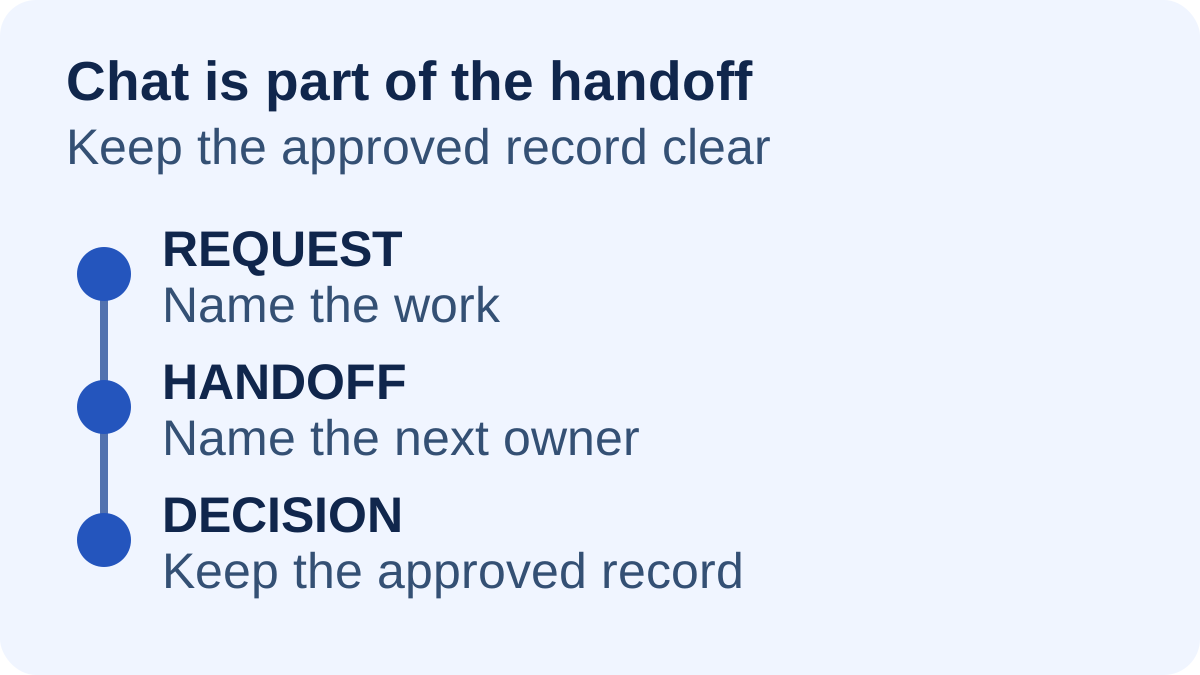
Imagine a small design studio preparing a sign for a fictional café. Two colleagues need to coordinate the draft while the owner keeps the approved wording in the chosen working document. The following is a proposed rehearsal with harmless sample text, not a customer case or an exercise we performed.
| Message | What the rehearsal should establish |
|---|---|
| Request: “Please draft a sign for the sample café. Use the brief in [working document].” | The intended colleague can enter the actual group and find the current brief. Replace the placeholder with a harmless sample. |
| Handoff: “The draft is ready for [colleague] to review. The open question is the closing time.” | The next person knows they own the next step and can reach the same draft without a second conflicting copy. |
| Decision: “Use the agreed closing time. The approved wording is now in [working document].” | The owner can identify the approved record independently of hoping an old chat will stay searchable. |
Write down the required account, where each message belongs and how the person responsible would retrieve the decision later. Ask about a recent message and an older decision separately. If the old-history requirement is outside a free plan’s documented access, resolve that requirement before making the messenger the only place it is recorded. Do not remove or migrate real work to carry out this evaluation.
A scheduled discussion and a recorded explanation are other jobs. The Zoom and Google Meet guide covers live client meetings. The Loom and Zoom Clips comparison covers recorded updates. Those tools do not replace deciding where the approved instruction belongs.
Keep reusable wording tied to the current record
A short acknowledgement can be reusable even when the project is different: “Received. I will check [current draft] and reply with [next step].” Treat this as fictional starting text. Replace the details and promise only a next step you can actually take. The authoritative project decision stays in its chosen record, where the responsible people can update and review it.
Copied’s product description presents reusable text Keys for iPhone and iPad. If repeated acknowledgement or handoff wording is a separate phone task, an owner can evaluate one harmless Key in a compatible message field, review it and replace the current details manually. Individual apps and secure fields can limit third-party keyboards. No Slack or Teams integration is established here; Copied does not create a shared workspace, control message retention or send the text automatically.
For a personal library of customer-facing wording, the freelancer client-message guide covers that separate reuse task. Start this messenger decision with one real coordination need, the intended account route and a clear home for approved work. If manually reused phone wording remains useful after that choice, evaluate Copied for iPhone and iPad with one reviewed draft. Keep the tools you already have when they meet the actual requirement.
References
- Slack, Slack subscriptions and features Free message/file access and maximum retention boundaries. Reviewed October 22, 2026.
- Slack, Customize data retention in Slack Retention choices apply to saved/pinned content; no settings changes proposed. Reviewed October 22, 2026.
- Slack, What is a channel? Topic channels and workspace-scoped membership/visibility. Reviewed October 22, 2026.
- Microsoft, Free Microsoft Teams Ongoing free personal/home offer and separate business route. Reviewed October 22, 2026.
- Microsoft, Getting to know Microsoft Teams for personal use Personal chats, communities and documented mobile/desktop surfaces. Reviewed October 22, 2026.
- Microsoft, What are Communities and Channels in Microsoft Teams for personal use? Personal-community account restrictions, scoped to that feature. Reviewed October 22, 2026.
- Microsoft Learn, Microsoft Teams Essentials QuickStart guide for small businesses Standalone paid subscription, Entra identity, same-domain condition and existing email continuity. Reviewed October 22, 2026.
- Copied, Copied — Customer Replies, Less Repeat Work | iPhone Publisher-declared manually reviewed Keys in compatible iPhone/iPad fields. Reviewed October 22, 2026.