App Reviews
Teamup vs Google Calendar for Small Business Shared Schedules
Choose who can view, edit and manage access before comparing shared-calendar plans.
Published , 4 min read, by Copied Editorial team
Choose a shared calendar by who needs to see each schedule, who may change events and who controls access. Google Calendar is a candidate when separate shared calendars and its permission choices fit your team. Teamup is worth evaluating when a master calendar containing several sub-calendars makes the work easier to organize. A customer booking page and a group availability poll solve different problems.
This comparison uses official documentation reviewed on October 31, 2026. We have not created calendars, invited users, changed permissions or tested mobile editing, notifications and synchronization. The example below is fictional. Confirm the actual account and intended recipients before adopting either service.
Define the schedule before choosing the service
Write down the work that belongs on the calendar. Two colleagues who need to see the same delivery schedule may need different editing rights. A coordinator may update events while a driver only needs to read the relevant times. Decide who owns the schedule and handles staff changes before comparing feature lists.
If your real need is letting one customer choose an appointment, use the Calendly and Google Calendar booking comparison. If several guests need to vote on possible times for one meeting, compare Doodle and Calendly Meeting Polls. This article concerns an ongoing internal work schedule.
Teamup: plan around the master calendar
Teamup describes a master calendar as the whole calendar, with sub-calendars inside it. A sub-calendar can represent a person, project or resource. The administrator chooses which sub-calendars a user can access and sets a permission level for each. This can fit a team that needs several related schedules in one structure.
The ongoing Free plan currently lists five sub-calendars, five users, one custom field and one year of historical data. A free trial of a paid plan is a separate offer. Check all four limits against the work you need to maintain; the user allowance alone does not establish that the plan fits.
Teamup attaches the subscription to each master calendar, rather than to a person. Paying for one calendar does not upgrade every calendar an account can access. Compare a paid plan when the number of users, sub-calendars or accessible history exceeds the current allowance. This article does not quote purchase prices or recommend changing an existing subscription.
Google Calendar: separate setup from access
Google documents creating a new calendar in a browser. Once created, it can appear in the browser and Calendar app. A separate work calendar can keep the shared schedule identifiable without giving colleagues your whole personal calendar. Browser setup support does not establish identical administration controls on every phone.
The current Google sharing guide distinguishes seeing only free/busy, seeing event details, editing events and managing sharing. It also documents an editing option in which private events remain free/busy. Choose the permission that matches the responsibility; the power to edit a work event does not automatically mean the person should be allowed to share the calendar with others.
For a work or school account, the administrator decides whether sharing is allowed. Check the actual account before relying on an option described in help. A personal Calendar account is not evidence that a Google Workspace business edition or its administration features are free. Evaluate the existing account arrangement before adding another service.
A fictional access matrix
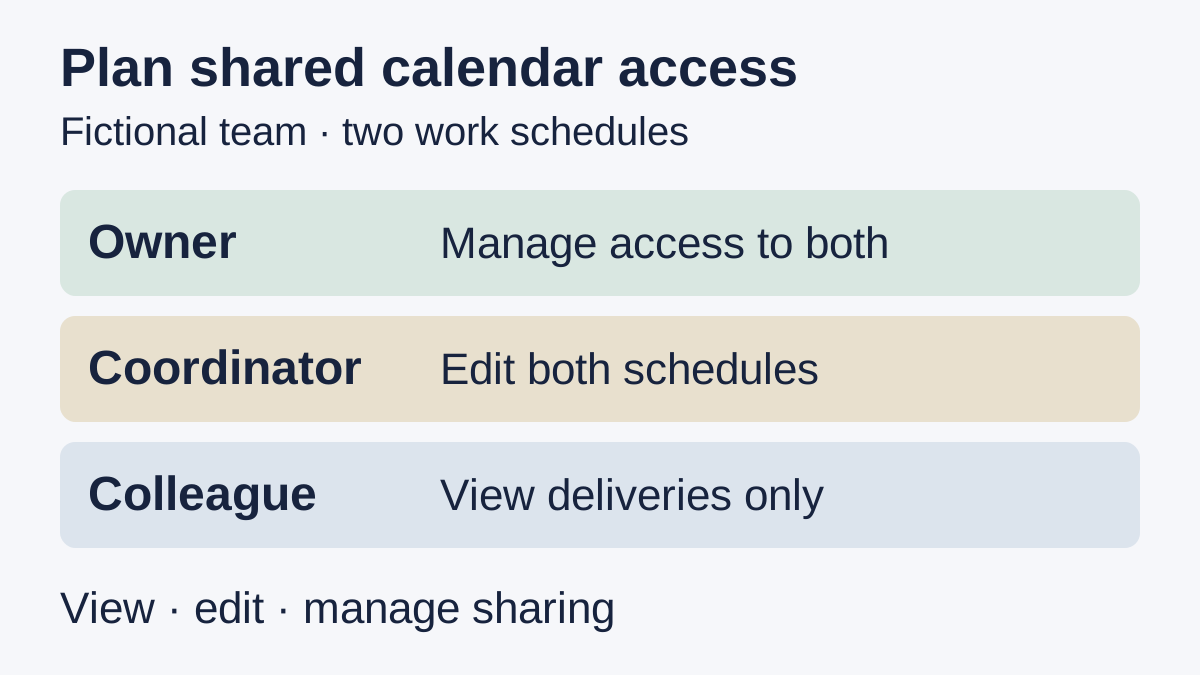
Imagine an owner, a coordinator and a colleague maintaining two schedules: deliveries and site visits. The owner manages access to both. The coordinator needs to update both schedules. The colleague only needs to view deliveries. These are proposed responsibilities, not a test of either product.
| Person | Deliveries | Site visits | Access responsibility |
|---|---|---|---|
| Owner | Manage | Manage | Own the permission decisions |
| Coordinator | Edit | Edit | Update agreed work events |
| Colleague | View | No access needed | Read assigned schedule only |
For Teamup, evaluate whether two sub-calendars with individual user permissions express that arrangement. For Google Calendar, evaluate two separate calendars and the relevant sharing permissions. Start with harmless sample events and authorized accounts; ask each participant to check the intended view and editing ability. We have not performed that evaluation.
Treat calendar links as access decisions
Teamup distinguishes account access from shareable calendar links. It recommends account-based access for internal or confidential information. A shareable calendar link can be used by anyone who has it within the configured permissions. Do not treat forwarding such a link as merely sending a harmless address.
Teamup’s administrator controls which users see each sub-calendar. Google likewise distinguishes event editing from managing calendar sharing. If a colleague needs access, settle that in the calendar service using the intended account arrangement. A saved message cannot grant or limit access.
Reuse an introduction only when that task repeats
For a recurring introduction on iPhone or iPad, Copied can be evaluated for manually inserting approved text in compatible draft fields. A neutral Key could say, “Please check the current team schedule in the calendar we shared with you.” Add only an appropriate, approved destination when needed, and review the recipient and current context before sending.
Copied does not read calendar availability, update events, manage permissions or send the message. No Teamup or Google Calendar integration is claimed. Keep event-specific times and changes in the calendar itself. The guide to saving and reusing links on iPhone covers maintaining a reviewed destination; it does not establish the recipient’s access.
Choose Google Calendar when its shared-calendar structure and account permissions already meet the need. Evaluate Teamup when related sub-calendars and their individual access controls better match the work, within the actual plan limits. If your existing shared schedule is clear and maintainable, keep it; add a wording library only if retrieving approved introductions is a separate recurring problem.
References
- Teamup, Subscription Plans The ongoing Free plan lists five sub-calendars, five users, one custom field and one year of historical data. Paid-plan trials are separate offers; this guide omits purchase prices. Reviewed October 31, 2026.
- Teamup, How Subscription Plans Work Each master calendar has its own subscription. New calendars remain on Free unless the subscription is changed. An account can access multiple calendars with different plans. Reviewed October 31, 2026.
- Teamup, Calendar Access and User Management The calendar administrator controls which sub-calendars each user can access and what they may do. Vendor guidance updated May 29, 2026; no independent security assessment is claimed. Reviewed October 31, 2026.
- Teamup, Intro to Sub-Calendars A master calendar contains sub-calendars, with permissions set for each user and shared sub-calendar. Vendor guidance updated October 6, 2026; calendar behavior was not tested. Reviewed October 31, 2026.
- Teamup, User Account Access vs. Calendar Links Account access and shareable calendar links have different access conditions. A link can be used by anyone who holds it within its configured permissions. Vendor guidance updated October 6, 2026 recommends account-based access for internal or confidential calendars. Reviewed October 31, 2026.
- Google, Share your calendar Sharing permissions distinguish viewing details, editing events and managing sharing. Work and school administrators control whether sharing is allowed. The page update date is not displayed; actual account permissions were not tested. Reviewed October 31, 2026.
- Google, Create a new calendar New calendars are created from a browser and can then be found in the browser and Calendar app. The page update date is not displayed; identical administration controls on every phone are not assumed. Reviewed October 31, 2026.
- Copied, Copied product homepage Keys can hold reviewed wording and links for manual insertion in compatible iPhone and iPad drafts. The user reviews, personalizes and sends; no calendar integration or permission management is claimed. Reviewed October 31, 2026.