App Reviews
Scribe vs Tango for Small Business: Browser Guides or Desktop Capture?
Match the capture surface and maintained guide count to your process. Keep the procedure separate from the note you send with its link.
Published , 3 min read, by Copied Editorial team
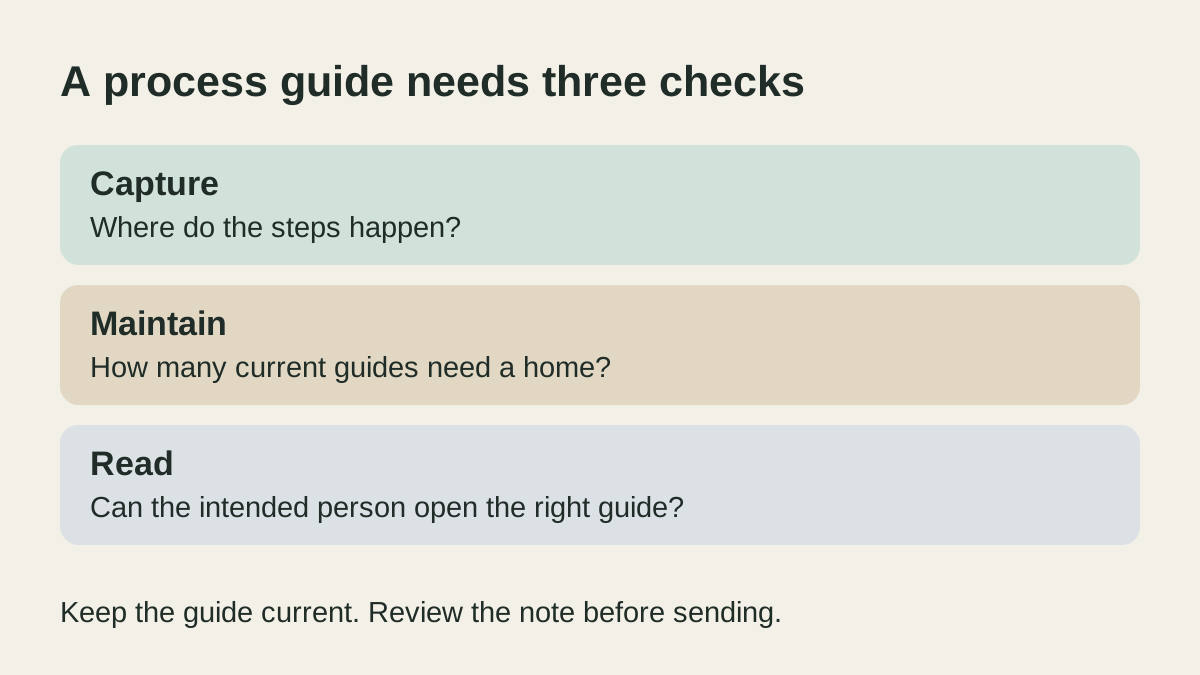
Choose Scribe or Tango by the process you need to explain, where its steps happen and how many guides you must maintain. Browser capture, desktop capture and opening a shared guide on a phone are separate capabilities. A free browser extension does not establish that the same account can capture an installed application.
This is a documentation-based comparison of official sources reviewed on October 29, 2026. We have not installed either extension, recorded a workflow, opened accounts or tested recipient access. Check the intended account with harmless sample steps before capturing business information.
Start with the capture surface
Scribe’s plan page describes Basic as a free browser option with guide sharing by link or embed. Its desktop capture guide separates Basic browser capture from the desktop application available on Pro and Enterprise. Do not infer desktop access from the ability to capture a web page.
Tango’s platform guide describes browser capture in Chrome and Edge and desktop capture on paid plans. It also distinguishes phone and tablet viewing from capture: those devices can view shared workflows but cannot capture or use Guide Me. Reader access on a phone is not a mobile authoring workflow.
| Requirement | What to establish |
|---|---|
| Browser procedure | The actual website and supported browser can be captured. |
| Installed application | The account includes desktop capture for that task. |
| Shared guide library | The maintained guide count fits the account. |
| Recipient handoff | The intended person can open the current guide with appropriate access. |
Count maintained guides separately from people
Tango’s Free account explanation describes an ongoing free account with up to five workflows in the Team Library and ten free users. Its plan comparison lists browser capture for Free and additional desktop capture and export formats under Pro. A user allowance does not expand the shared-workflow allowance.
Imagine a small service business with four creators, six browser procedures to maintain and one procedure that includes an installed application. These are fictional requirements, not a customer case or product test.
Four people are below Tango’s stated ten-user Free limit, but six shared workflows exceed its five-workflow allowance. The desktop procedure creates another requirement. The business should check a paid configuration or a different maintained documentation method rather than treat the seat count as proof that everything fits.
For Scribe, confirm the intended plan’s actual guide, collaboration and access conditions. The documented Basic-versus-desktop boundary still matters. Do not assume that one vendor’s usage unit maps to the other vendor’s account.
Make the guide useful after capture
Captured steps are a draft for the procedure owner to review. Confirm that the order, labels, screenshots and intended result match the current process. Remove incidental information before sharing and check the recipient’s access without broadening it unnecessarily. A documentation tool does not establish that the underlying procedure is correct or that the recipient has completed it.
If a short narrated update explains the job better, the Loom and Zoom Clips comparison covers that separate format. If the work is mostly maintaining written instructions without capturing clicks, start with the Google Docs and Microsoft Word comparison.
Keep repeated cover notes separate from the procedure
A maintained guide should remain the source of the steps. If sending its link with the same introduction is a separate recurring job on iPhone or iPad, Copied can be evaluated for manual text reuse in compatible draft fields. One possible Key is “Here is the current guide. Please tell me which step needs clarification.” Add the correct link and review access and wording before sending.
Copied does not capture procedures, publish Scribe or Tango workflows or synchronize their permissions. No integration is claimed. The saved-link reuse guide helps with the narrower task of finding and reusing a maintained destination. Keep the procedure current in its documentation system and use a personal text library only when the separate sending task repeats.
References
- Scribe, Pricing Basic browser capture and link/embed sharing. The page does not establish every account limit; numerical paid prices are omitted. Reviewed October 29, 2026.
- Scribe Support, How to capture Scribes on desktop apps outside of my browser? Basic captures browser processes; desktop capture requires Pro or Enterprise. This is documentation, not a firsthand capture test. Reviewed October 29, 2026.
- Tango Help Center, Is there a free version of Tango to use? Ongoing Free account with five shared workflows and ten users. Do not equate user capacity with guide capacity. Reviewed October 29, 2026.
- Tango Help Center, What’s the difference between Free, Pro and Enterprise? Browser capture and shared-library limits for Free; additional capture and export capabilities under Pro. Verify the intended account. Reviewed October 29, 2026.
- Tango Help Center, Where does Tango work? Browser and desktop capture are separate from viewing on a phone or tablet. Actual workflow compatibility and recipient access were not tested. Reviewed October 29, 2026.
- Copied, Copied product overview Manual text/link reuse in compatible iPhone and iPad fields. No procedure capture, workflow publishing or permissions integration is claimed. Reviewed October 29, 2026.