App Reviews
Google Tasks vs Microsoft To Do for Client Follow-ups on iPhone
Start with the mailbox you use, then check task capture, recurrence and account access. A reminder still needs a human-reviewed client reply.
Published , 5 min read, by Copied Editorial team
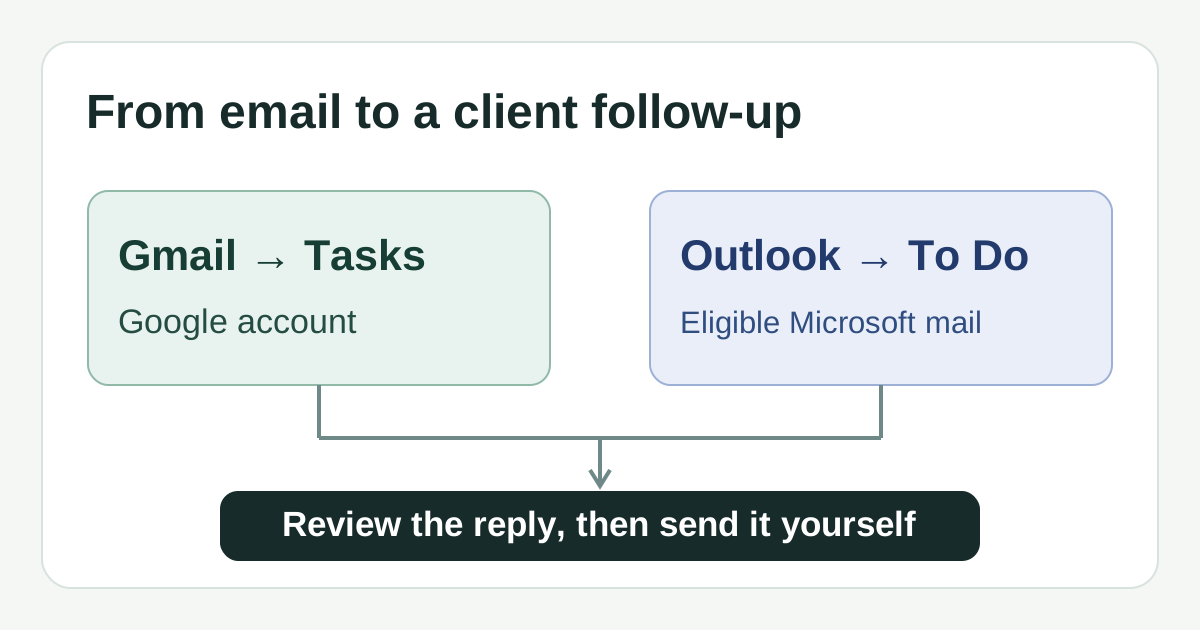
If client requests arrive in Gmail, Google Tasks offers a direct Add to Tasks action in the Gmail app on iPhone. If you rely on an eligible Microsoft-hosted Outlook mailbox, Microsoft To Do can turn flagged messages from your primary mailbox into tasks. Choose by the mail account and repeat pattern you actually use, not by a generic feature score. Neither task app sends a client reply for you.
This comparison uses Google, Microsoft, Apple App Store and Copied publisher documentation checked November 6, 2026. We did not install either app, sign in to a business account, test a reminder or send a message. Account settings, licenses and app controls can change; try the route with a harmless sample before relying on it for a client deadline.
Choose the route your mailbox supports
| Decision | Google Tasks | Microsoft To Do |
|---|---|---|
| Mail to task | In Gmail for iPhone, open a message and choose More, then Add to Tasks. | Flag an Outlook email; with Flagged email enabled and an eligible Microsoft-hosted primary mailbox, it appears in To Do. |
| Repeat | Daily, weekly, monthly, yearly and custom options; shared tasks and tasks with subtasks cannot repeat. | Daily, weekdays, weekly, monthly, yearly and custom options, with separate due dates and reminders. |
| Account check | Use the intended Google account in Gmail and Tasks. | A personal Microsoft account is free for To Do; work or school access depends on supported licensing and Exchange Online. |
| Client handoff | Review the source email, draft and recipient; send separately. | Review the flagged email, draft and recipient; send separately. |
The Google Tasks App Store listing and Microsoft To Do App Store listing show iPhone apps available as free downloads. That label alone does not establish every business-account entitlement or future offer. Microsoft's account guidance explicitly distinguishes personal Microsoft accounts from supported work and school accounts. If your company uses a managed account, check its license and administrator settings before choosing To Do for this workflow.
Google Tasks: start from a Gmail message
Google's iPhone and iPad task guide documents opening a message in the Gmail app, choosing More and then Add to Tasks. You can also create a task directly in the Tasks app and set a date, time or repeat. Dated tasks appear in Google Calendar. A task made from a message helps you return to the source, but creating it does not acknowledge the client or send a reply.
For a weekly check-in, Google's repeating-task guidance supports a custom frequency as well as common intervals. Its constraints matter if your process changes: shared tasks and tasks with subtasks cannot repeat, and a recurring task cannot be moved to another list. If you stop a repeating series, you must create a new series to resume it. Keep a complex client checklist in a separate document or nonrecurring task rather than assuming a repeat with subtasks will work.
Google says a task with a scheduled date and time can notify you at that time. Check your own notification permissions and the exact task date before trusting a reminder. If most requests arrive outside Gmail, the documented Gmail action may not be your natural capture path. The broader Gmail versus Outlook comparison addresses choosing an email service; this guide assumes you already know where client mail lands.
Microsoft To Do: verify the flagged-mail connection
Microsoft's flagged-email guide says the Flagged email list can show Outlook messages as tasks when you sign in with the same eligible Microsoft account. The message subject becomes the task name, and the task can carry a due date, reminder or My Day placement. The feature requires a Microsoft-hosted mailbox, including supported custom-domain mail. Merely reading a Gmail or other external mailbox in the Outlook app does not establish this connection.
Microsoft's Outlook mobile task guidance also describes using To Do on iOS with the same account and checking whether the Flagged Email list is enabled. The flagged-email documentation limits this flow to messages in your primary mailbox. Shared folders and shared mailboxes are excluded. When the feature is first enabled, Microsoft says it initially includes the 100 most recently flagged messages from the last 30 days; later flagged mail is added from then on. If your client work lives in a shared inbox, treat that as a material reason to test another task capture method rather than promise an automatic list.
Microsoft's due-date and reminder guidance lists separate reminder controls and daily, weekday, weekly, monthly, yearly or custom repetition. That weekday option may fit a daily client review. Decide whether a recurring task is for reviewing the inbox or for contacting a specific client: a general recurring reminder must not be marked as proof that a named client received an update.
Try one fictional client follow-up before switching
Imagine a solo studio receives a fictional client's question about a draft estimate on Monday. The owner wants to revisit it Thursday if no answer has been sent. Use a sample with no real client details to check the workflow in the account you would actually use.
- Capture the sample message through Gmail Add to Tasks or Outlook's eligible Flagged email list. Confirm that the task appears in the intended account and list.
- Set Thursday as the due date and, if needed, a reminder. Check what your own iPhone displays and whether notifications are allowed.
- If this is a recurring weekly review, make a separate harmless sample repeat. Check the next occurrence after completion and any Google subtask or list restriction.
- Return to the source message, check what the client has already heard, write a current reply and verify the recipient. Record the sent communication separately from the task's completion.
A task can be created or completed while no email has been sent. That distinction is the heart of a reliable follow-up. If you need team assignment, project stages or a shared client workboard, compare the separate Asana and ClickUp recurring follow-up guide. If you want a native personal list rather than either mailbox route, see Apple Reminders versus Todoist.
Keep reusable wording separate from the task
If the final response often uses the same reviewed opening or next-step sentence, Copied's product description says you can save it as a Key and insert it manually on iPhone or iPad in a compatible text field. Replace the client's name, estimate and timing, then review the complete message before you send. Copied does not read the mailbox, create or synchronize Google Tasks or Microsoft To Do tasks, or send a client reply.
- Choose Google Tasks when Gmail is your real intake path and its recurrence constraints fit.
- Choose Microsoft To Do when the eligible Microsoft mailbox and flagged-mail list are central to your day.
- Use a separate manual capture method if your account or shared-mailbox setup fails the documented route.
- Keep task completion and the actual sent reply as two distinct checks.
If repeat wording is genuinely part of your follow-up, explore Copied for iPhone and iPad for reviewed manual text reuse. If you only need reminders, start with the task app that matches your mailbox and skip the extra tool.
References
- Google Tasks Help, Add or edit a task on iPhone and iPad Gmail Add to Tasks, dates, notifications and subtask repeat limit. Publisher Google; no stated individual author/update date. Checked November 6, 2026; no device test.
- Google Tasks Help, Manage repeating tasks on iPhone and iPad Repeat options; shared tasks and subtasks cannot repeat, recurring tasks cannot move lists. Publisher Google; no stated individual author/update date. Checked November 6, 2026; no account test.
- Google Tasks App Store listing US listing shows free download and iPhone/iPad support. Publisher Google/Apple listing; no stated update date. Checked November 6, 2026; installed offer untested.
- Microsoft Support, Using Microsoft To Do with flagged email from Outlook Microsoft-hosted mailbox, primary mailbox only, initial 100 recently flagged messages within 30 days. Publisher Microsoft; no stated individual author/update date. Checked November 6, 2026; no account test.
- Microsoft Support, Which accounts can I use Microsoft To Do with? Free personal Microsoft account; work/school supported-license and Exchange Online conditions. Publisher Microsoft; no stated individual author/update date. Checked November 6, 2026; no account test.
- Microsoft Support, Add due dates and reminders in Microsoft To Do Due dates, reminders and recurrence options. Publisher Microsoft; no stated individual author/update date. Checked November 6, 2026; no task test.
- Microsoft Support, How can I manage my Outlook tasks on mobile? iOS To Do and flagged-email route; may require enabling list through desktop/web. Publisher Microsoft; no stated individual author/update date. Checked November 6, 2026; no device test.
- Microsoft To Do App Store listing US listing shows free download, iPhone and iPad. Publisher Microsoft/Apple listing; no stated update date. Checked November 6, 2026; installed offer untested.
- Copied, product homepage Publisher-declared reviewed Keys and manual insertion in compatible iPhone/iPad fields. Publisher Sharply Labs; no task/mail integration or send claimed. Checked November 6, 2026; no device test.