Guides
Set a Gmail Vacation Responder on iPhone for Client Enquiries
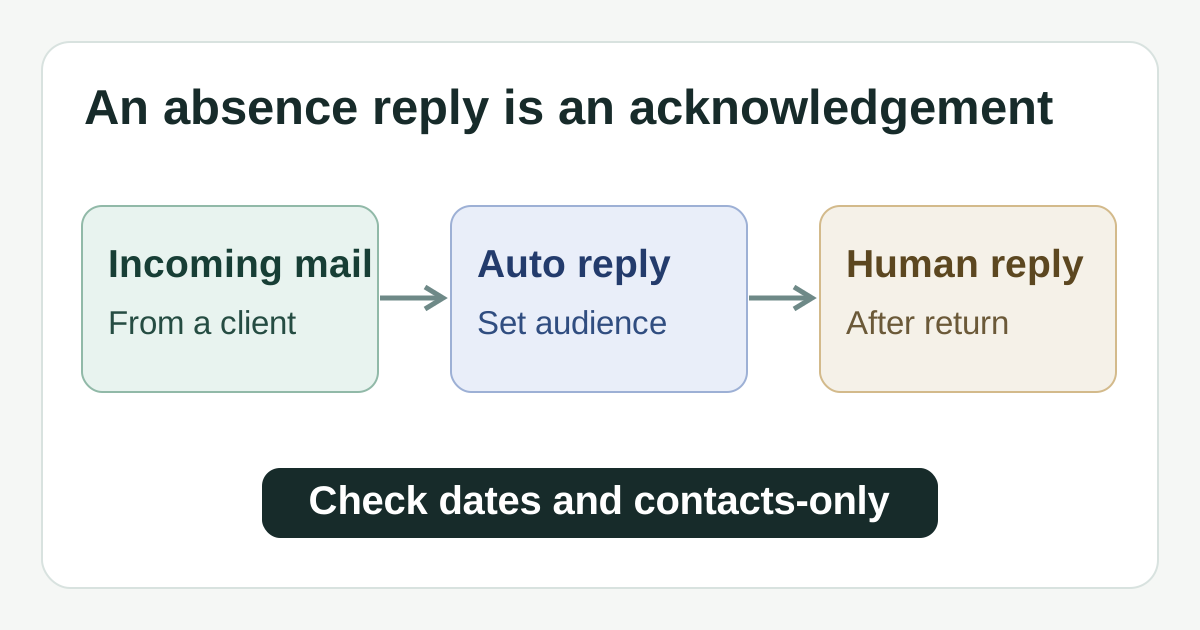
An automatic absence reply can acknowledge an enquiry, but a person still has to handle it. Set the audience and dates deliberately, then plan the return-day follow-up.
Published , 5 min read, by Copied Editorial team
Gmail's vacation responder can automatically acknowledge incoming mail while you are away. It cannot decide which new client enquiry needs urgent work or complete the promised follow-up. If you use Gmail on an iPhone, first decide who should receive the reply, what you can honestly promise, and who will check the inbox while you are gone. Google's current iPhone instructions describe the responder, its dates and the contacts-only option: Gmail's vacation responder help.
This guide uses Google's published iPhone help and Copied's product description, checked November 7, 2026. We did not configure a Gmail account, send a test enquiry or measure delivery. Exact controls can vary by app version, account policy and locale; verify the final state in your own account before depending on it.
Decide what the acknowledgement can promise
A fictional independent bookkeeper will be unavailable from Monday through Thursday. A useful reply says when the bookkeeper expects to read messages again, whether anyone else is covering urgent work, and the real route to that person if one exists. It should not promise a same-day answer when nobody is watching the inbox. This example illustrates a decision, not a tested customer outcome.
| Question before switching it on | Practical choice |
|---|---|
| Will anyone read new enquiries during the absence? | If no, say when messages will be reviewed; avoid suggesting that the auto reply itself starts work. |
| Is there a genuine urgent contact route? | Name it only if the person has agreed to cover and the route is monitored. |
| Should first-time prospects hear back? | Leave contacts-only off if you want the responder to reach eligible senders outside your contacts. |
| Are the dates certain? | Set the actual absence window and plan to inspect the switch before and after it. |
A concise example is: ‘Thanks for your message. I am away through Thursday and expect to review email on Friday. For urgent existing projects, contact the agreed cover person at the contact route we supplied to clients. Otherwise I will reply after I return.’ Replace every date, role and route with verified facts. Do not publish an invented emergency address or expose a private number in a broad auto reply.
Set the responder in Gmail on iPhone
- Open the Gmail app, tap Menu, then Settings, and select the Gmail account that receives the client enquiries. Google documents this mobile settings route: Gmail settings on iPhone and iPad.
- Under Compose and Reply, tap Vacation responder and switch it on. Choose the first and last dates, then enter a subject and the reviewed message.
- Decide whether to enable ‘Send only to my Contacts’. If new prospects are not saved as contacts, this setting can exclude them from the automatic acknowledgement. Make that tradeoff deliberately rather than treating it as a privacy default.
- Tap Save. Reopen the account's Vacation responder settings and confirm the switch, dates, subject, message and contacts-only choice shown there.
These labels and steps come from Google's iPhone responder instructions. The dates matter: Google says the response starts at 12:00 AM on the first day and ends at 11:59 PM on the last day unless you end it earlier. An end date is optional in Google's help, but a planned return check is still prudent. A saved setting is evidence of your configuration, not proof that every recipient received or read the acknowledgement.
Understand the repeat and delivery exceptions
Google says a sender normally gets the vacation reply only the first time they email during an absence. If the same person writes again after four days while the responder remains on, they can receive it again. If you edit the response and that person emails again, they can also receive the new version. Gmail does not send it to messages in spam or to mailing lists you subscribe to: Google's responder behavior. Do not count an automatic response as a complete enquiry log or proof of service.
- For a time-sensitive client, arrange a monitored alternative route before leaving; do not make the auto reply the only escalation path.
- For first-time prospects, check the contacts-only setting against your actual audience.
- For a changed return date or coverage person, edit the message promptly and recheck the displayed settings.
- For a full inbox after return, work through the underlying messages; a repeat reply does not mark a request handled.
Turn it off and triage when you return
On return, open the same Gmail account's Settings → Vacation responder and switch it off if you ended the absence early, or verify that the scheduled end date has passed. Then inspect actual incoming mail in the account. Separate urgent existing-client issues from new enquiries, assign an owner where needed and send a human reply with a realistic next step. If your business's public opening hours also changed, the separate temporary business-hours guide covers map listings; Gmail's responder does not update them.
A scheduled outbound client email solves a different job: it waits to send a finished message at a chosen time. The Gmail scheduled-send guide explains how to review and cancel that queue. Neither feature replaces human review of a reply to a fresh enquiry.
Reuse wording only if your absence message recurs
For one absence, Gmail alone is enough. If you repeatedly maintain approved absence or return wording, Copied's product description says a Key can store reusable text for manual insertion in compatible iPhone or iPad fields. Review the actual dates, coverage and audience before pasting into Gmail. Copied does not configure Gmail's vacation responder, monitor incoming mail, send automatic replies or confirm delivery. The email templates on iPhone guide focuses on manual text reuse rather than this Gmail setting.
If recurring reviewed wording is a real part of your work, explore Copied for iPhone and iPad. You can skip that extra tool when Gmail's built-in responder meets the whole need.
References
- Google Gmail Help, Send an automatic reply when you are out of office on iPhone and iPad Settings, Vacation responder, dates, Contacts-only, repeat and excluded mail. Publisher Google; individual author/update date unstated. Checked November 7, 2026; no account or send test.
- Google Gmail Help, Change your Gmail settings on iPhone and iPad Mobile Settings route. Publisher Google; individual author/update date unstated. Checked November 7, 2026; no device test.
- Copied, product homepage Publisher-declared reusable Keys, manual insertion in compatible iPhone/iPad fields. No Gmail responder integration or automatic reply. Checked November 7, 2026; no app test.