App Reviews
Canva vs Adobe Express for Small Business Flyers
Choose a design editor by the file your customer or printer needs. Compare free-plan limits, export requirements and how you maintain the approved version.
Published , 6 min read, by Copied Editorial team
Canva and Adobe Express can both be candidates for a small-business flyer or service sheet. Start with Canva when its documented Free image and PDF exports and simple Brand Kit meet your needs. Evaluate Adobe Express when its editing tools, available assets and documented version-history allowance fit your work. Choose using a real output requirement: the file you can review and deliver matters more than the template you can open.
This comparison is for independent service providers, sellers and freelancers making their own everyday material. We reviewed official sources on October 15, 2026. It is a documentation-based comparison, not a hands-on benchmark or a print-quality test. Copied publishes the guide; its optional role is retrieving reviewed files and accompanying wording on iPhone or iPad after the design work is finished.
Compare the job and the deliverable
| Decision | Canva | Adobe Express |
|---|---|---|
| Begin with an ongoing free plan | Free plan includes PDF, JPG and PNG exports, subject to the design's content and settings | Free plan includes standard editing and limited assets; inspect the actual output you need |
| Keep a basic visual identity | Free lists one Brand Kit limited to three colors | Check the brand features your selected plan includes; asset availability alone does not establish a brand workflow |
| Maintain working material | Free lists 5 GB of storage | Free lists 5 GB of storage and 10 days of version history |
| Prepare material on a phone | Official iPhone/iPad app; download guidance covers mobile devices | Free-plan documentation lists web, iOS/Android and iPad access |
| Deliver a print-specific PDF | Current plan table places print-ready/CMYK exports in Pro | Official web guide documents PDF Print and color settings; it does not establish Free or mobile eligibility |
The plan facts come from Canva's current comparison and Adobe's Free-plan guide. For different business jobs such as appointments, notes and customer wording, use our everyday small-business app stack. You do not need a second design editor when the one you already use produces the required file reliably.
Canva: distinguish a free design from its ingredients
Canva's Free plan lists a design editor, free templates and assets, 5 GB of storage and one Brand Kit with three colors. PDF, JPG and PNG exports are included in its comparison. This can fit a simple service overview that needs consistent colors and a file to send. It does not make the whole content library or every export setting free.
Canva's download guidance explains that premium elements can cause a payment prompt for a Free account. The documented options include purchasing a content license, upgrading or downloading a watermarked draft. A template being available to open is therefore different from having an approved final file within your intended allowance. Check its elements before investing in the layout.
Canva's file-type guide distinguishes images from documents: JPG is suited to photographs, PNG to graphics, and PDF has Standard and Print options. Its advanced controls are plan-dependent. The current plan table marks print-ready/CMYK export unavailable in Free. Do not infer a free CMYK workflow merely because you can export a PDF.
Canva's official iOS page confirms an iPhone and iPad app. Its download guide covers saving to a computer or mobile device and selecting pages. Check the actual text, images and page selection on your phone; app availability does not establish that every desktop control appears there.
Adobe Express: inspect the assets and the maintained version
Adobe's Free-plan guide, updated July 17, 2026, describes standard photo, video and document editing tools, a limited asset collection, 5 GB of storage and 10 days of version history. It lists web, mobile iOS/Android and iPad access. Those are useful facts for evaluating a recurring flyer job; they do not establish identical controls on every device.
A defined history window matters when you expect to revisit a change later. Keep your own current source and approval record rather than assuming an older revision will remain recoverable indefinitely. This is a suggested maintenance practice, not a finding that we recovered a file or tested an account.
Adobe also says Stock assets can move from free to paid without advance notice. Its guide suggests using the Free filter to substitute free assets. Recheck the ingredients when updating an older design instead of assuming its previous export proves the next one is included. Adobe's current pricing comparison separates the ongoing Free offer from Premium and a time-limited trial; a trial is not the continuing Free allowance.
Adobe's web PDF Print guide documents crop marks, bleed and CMYK or RGB color settings. The guide does not explicitly state that these options belong to the Free plan or that the same controls are available in the phone app. Confirm the required setting in your actual account and device before choosing Express for that output.
Write an export acceptance card
Before adopting either tool, write a short private acceptance card for one real deliverable. This is our suggested evaluation method, not an automatic feature of either editor or Copied. It keeps the file requirement visible while you compare plans.
| Record | Question to answer |
|---|---|
| Editable master | Where will you update the original design, and who is responsible for the wording? |
| Delivery job | Is the recipient reading on a phone, receiving a document or preparing a print order? |
| Output requirement | What file type, pages, dimensions and color settings does that destination actually require? |
| Release check | Do the exported file's offer, contact details, dates, images and page selection match the approved source? |
| Approved version | What recognizable name or date will distinguish this file from a draft? |
| Update trigger | What business change requires another export and replacement of reusable copies? |
For printing, obtain the printer's own file requirements before deciding that a PDF is ready. A vendor's export label does not establish acceptance by your particular printer. For customer delivery, open the exported file itself and inspect it at the size the recipient will use. This is an evaluation step for you; we did not perform it on a production document.
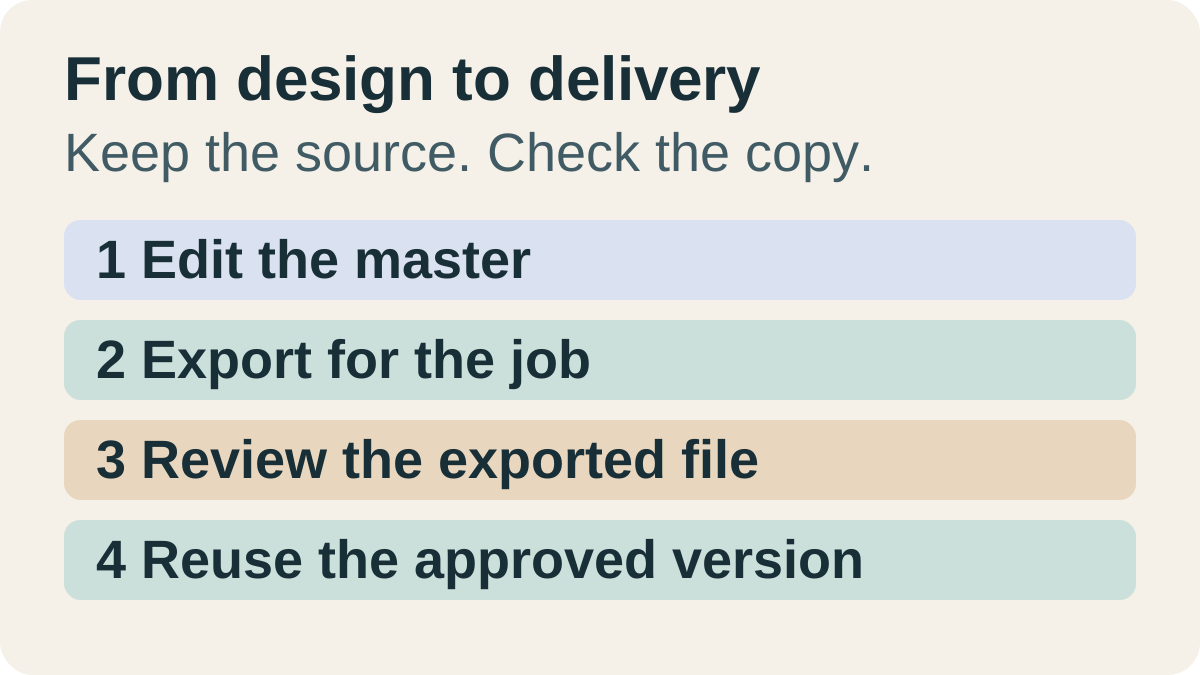
Consider a fictional independent workshop owner changing the venue on a one-page service sheet. The owner updates the editable master, exports the intended page, opens the export and checks the address and date before approving it. Only then does the owner replace the copy used in customer replies. This is an editorial illustration, not a customer result or an automated workflow.
The example exposes a useful choice: which editor lets you maintain that exact sheet and obtain the required output within a plan you accept? Compare that job in both tools only if the choice is unresolved. Keep the current editor when it already meets the requirement. Do not migrate a library simply to complete an app shortlist.
Keep the editable source separate from the file you resend
A downloaded PDF or image is a delivery copy. Editing the master later is not evidence that a copy already saved elsewhere has changed. Keep the source in its maintained location, give the approved export a recognizable identity and review each retained copy when the material changes. Neither design-app availability nor cloud storage proves that your customer has the current version.
Copied's product description and official listing describe Files for retaining, organizing, previewing and sharing images, PDFs and documents. If repeatedly finding your approved service sheet on iPhone is a separate problem, you can evaluate a personal working copy there. Copied is not claimed to edit the design, connect to Canva or Adobe Express, or refresh that copy when the master changes.
Sharing from the app and copying a file from the keyboard are different routes. Pasting depends on what the receiving app accepts; use its supported attachment or sharing route when needed. Our iPhone Files guide explains those limits. If you need words from a document instead of the whole file, see copying text from a PDF on iPhone.
For a recurring file-retrieval problem, explore Copied for iPhone and iPad. Start with one harmless approved export, preview it and inspect the draft attachment before sending. Keep your original elsewhere; this is not a backup or an automatic design-to-message connection. Choose the editor and output first, then evaluate whether a personal reuse library adds value.
References
- Canva Pricing: Compare Free, Pro, Business and Enterprise plans Canva's current plan comparison separates Free exports and basic brand settings from paid print options.
- Download or save designs to your device Canva documents downloading designs and why premium elements can cause a payment prompt.
- Choose the right download file type for your Canva design Canva explains image and document export formats and plan-dependent options.
- Canva iOS Mobile App for iPhone & iPad Canva offers an iPhone and iPad app; check the actual device workflow.
- Adobe Express Free Adobe documents its Free plan, storage, version history and changes to Stock asset availability.
- Pricing: Compare Free & Premium Plans Adobe's current comparison distinguishes the Free plan from Premium and its trial.
- Download PDFs with CMYK color profile Adobe documents PDF Print export settings on the web; plan and mobile availability must be checked.
- Copied — Saved Replies, Clipboard & Files for iPhone Copied describes Files for retained documents and images, alongside reusable text Keys.
- Copied: Workspace Keyboard — App Store The official Copied listing describes its personal file and text reuse features.