App Reviews
Stripe vs PayPal Payment Links for Small Business: Checkout, Fees and Phone Setup
Check the merchant account, checkout and actual transaction before choosing how to share a payment link.
Published , 4 min read, by Copied Editorial team
Choose a payment-link service by the merchant account you can use, the checkout you need to maintain and the device you use to create it. Stripe and PayPal both document hosted checkout links. Their setup and pricing conditions differ. A link that opens correctly is a useful check of the destination; the actual transaction record establishes whether a customer has paid.
This comparison uses official documentation reviewed on October 31, 2026 for a US small-business scenario involving a defined one-time product or service. We have not created merchant accounts, built checkout links, entered payment details or performed transactions. Confirm the current country, account and product conditions before choosing a service.
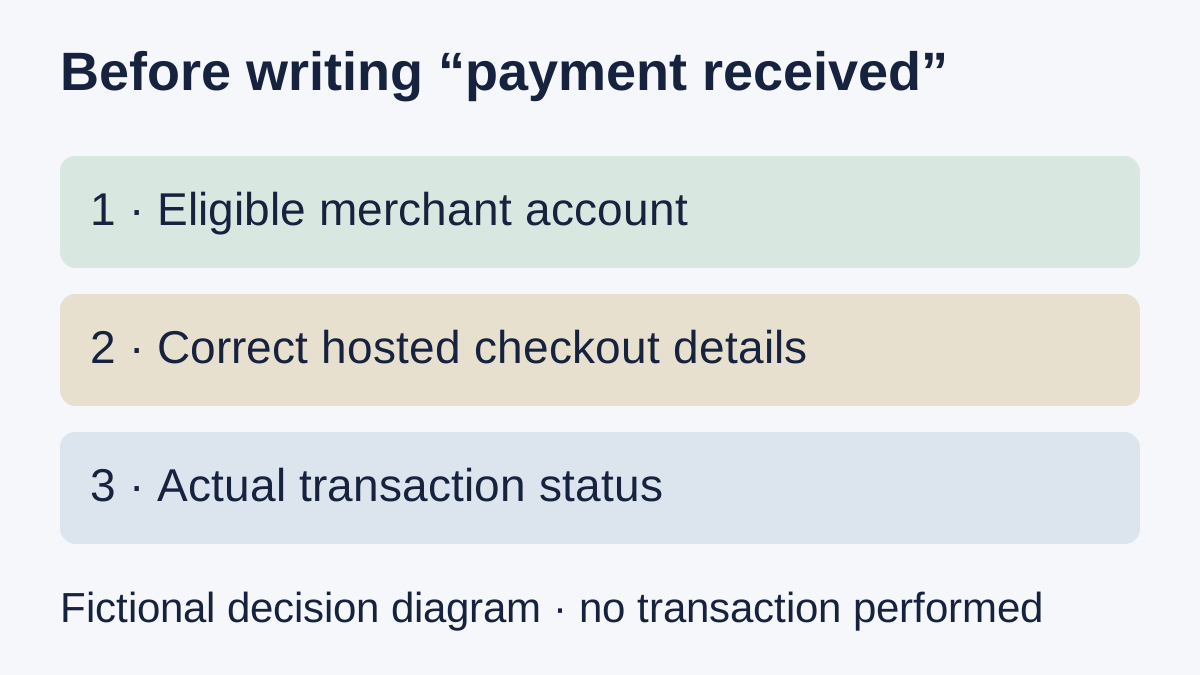
Choose the checkout job before the provider
Imagine a service provider offering one clearly defined consultation. The fictional owner needs a checkout with the right service name and currency, a way to maintain that offer and a reliable place to inspect the resulting transaction. This is a proposed requirements card, not a payment test or a claim about sales.
If the task is preparing customer-specific billing documents, start with the Zoho Invoice and Invoice Ninja comparison. A reusable checkout link is a different object from an invoice addressed to one customer. PayPal’s overview explicitly distinguishes these uses and describes its Payment Links as reusable one-time payment routes.
Stripe: hosted checkout and a defined phone option
Stripe’s creation guide describes building a link in the Dashboard and redirecting the buyer to a Stripe-hosted payment page. For product or subscription links, it also documents creation in the Stripe Dashboard iOS app. That app does not currently support creating links where the customer chooses the amount. Do not infer the same phone controls for every link type.
Stripe’s availability list includes the United States, but that does not establish that every business or account is eligible. Check your actual merchant account and applicable product conditions. A customer being able to open a page is separate from your business being approved to accept that payment.
PayPal: business-account setup and current app wording
PayPal’s creation documentation requires a business account and describes setting the product details, price and checkout behavior in its business dashboard. It documents fixed and customer-set prices. Its proposed testing process includes checking product name, price and currency and confirming that a transaction appears in account activity.
The current PayPal US product page labels managing Payment Links from the PayPal app as “Coming soon.” Treat that label as a limit on current documented app availability rather than assuming that every feature on the website is already in the app. If phone creation is essential, verify the actual account and device before adopting the service.
Compare the cost of the checkout you need
Stripe’s Payment Links pricing explanation says the feature is included in integrated pricing. It separately identifies Billing pricing for recurring charges and optional paid features. Review the cost of the actual payment method and features you need; a no-code setup does not establish a zero-cost service.
PayPal’s US Payment Links page describes no setup or monthly fees while listing transaction fees. Its notes say fees can change and that currency and international-transaction conditions affect costs. Compare the current terms for your account and transaction type. This guide does not quote rates or rank either service as universally cheaper.
| Requirement | Stripe | PayPal Payment Links |
|---|---|---|
| Merchant setup | Check supported country and actual account eligibility. | Business account documented; check actual eligibility. |
| Fixed product/service checkout | Dashboard route documented. | Business-dashboard route documented. |
| Phone creation | iOS product/subscription creation documented; customer-set amount creation excluded. | US page currently labels app management Coming soon. |
| Cost check | Integrated transaction pricing and relevant optional-feature charges. | No setup/monthly fee on US page; transaction fees apply. |
Inspect the transaction before writing a confirmation
For the fictional consultation, check the product, currency and current offer on the hosted checkout. Then keep the resulting transaction in the payment service. Sending the URL, opening the page and receiving a payment are different events; keep those states separate in customer wording.
Stripe’s post-payment guide directs sellers to the Dashboard payments overview and notes that some methods can confirm later. PayPal’s status guide distinguishes pending, hold and completed states. Read the actual transaction details; this comparison does not establish payout timing, funds availability or that a completed payment can never change.
Reuse a neutral checkout introduction only when it repeats
If introducing an approved checkout link is a recurring task on iPhone or iPad, Copied can be evaluated for manually inserting reviewed wording in compatible draft fields. A neutral Key could say, “Here is the checkout page for the service we discussed. Please review the details before paying.” Add only the intended current checkout URL and review the recipient and offer before sending.
Copied does not create checkout pages, process payments, inspect transactions or mark an order paid. No Stripe or PayPal integration is claimed. Keep customer-specific amounts and payment confirmations in the individual workflow. The saved-link reuse guide covers maintaining a reviewed destination.
Evaluate Stripe when its eligible account and documented setup surface fit the required checkout, including the specific iOS creation limits. Evaluate PayPal when its business-dashboard setup and current US offer fit, after checking the actual costs and device requirements. If an existing payment arrangement already meets the job, retain it. Add a wording library only if retrieving approved introductions is a separate recurring task.
References
- Stripe, Create a payment link The Dashboard creates Stripe-hosted payment pages. The iOS app supports product and subscription links, but not creation of customer-chosen-amount links. These are vendor declarations; device and account behavior was not tested. Reviewed October 31, 2026.
- Stripe, After a payment link payment Payments received through a payment link appear in the Dashboard payments overview. Some payment methods confirm later. A checkout page or shared URL does not establish transaction, payout or fulfillment status. Reviewed October 31, 2026.
- Stripe, Stripe Payment Links Payment Links are included in integrated pricing. Recurring charges use Billing pricing and optional features can add cost. This guide omits numerical fees and makes no zero-cost or cheapest-service claim. Reviewed October 31, 2026.
- Stripe, Global availability Merchant availability depends on country or region; the United States is listed. A listed country does not establish that a particular business or account is approved. Reviewed October 31, 2026.
- PayPal, Create payment link A business account is required. The business dashboard creates links with product details, fixed or customer-set prices and checkout options. The vendor documents a sandbox option and account-activity checks; no checkout or transaction was tested. Reviewed October 31, 2026.
- PayPal, Payment Links and Buttons The documentation distinguishes reusable one-time Payment Links from customer-specific invoices. Do not infer a subscription entitlement from other PayPal products. Reviewed October 31, 2026.
- PayPal, Payment Links US The US page describes no setup or monthly fee, with transaction fees, and labels app management Coming soon. Fees can vary by payment method, currency and international conditions. Numerical rates and universal mobile availability are not asserted. Reviewed October 31, 2026.
- PayPal, Payment and money request status Pending, held and completed states have different meanings; inspect the actual transaction in the account. Sent-payment and money-request definitions differ. This guide does not establish payout timing or irreversible settlement. Reviewed October 31, 2026.
- Copied, Copied product homepage Reviewed wording and links can be inserted manually in compatible iPhone and iPad draft fields. Copied is not claimed to create checkouts, process payments, verify transaction status or send messages. Reviewed October 31, 2026.