App Reviews
Shopify Inbox vs WhatsApp Business App for Small Store Customer Chats
For an existing Shopify store, choose where customer questions should start and who will monitor each conversation before offering both chat channels.
Published , 5 min read, by Copied Editorial team
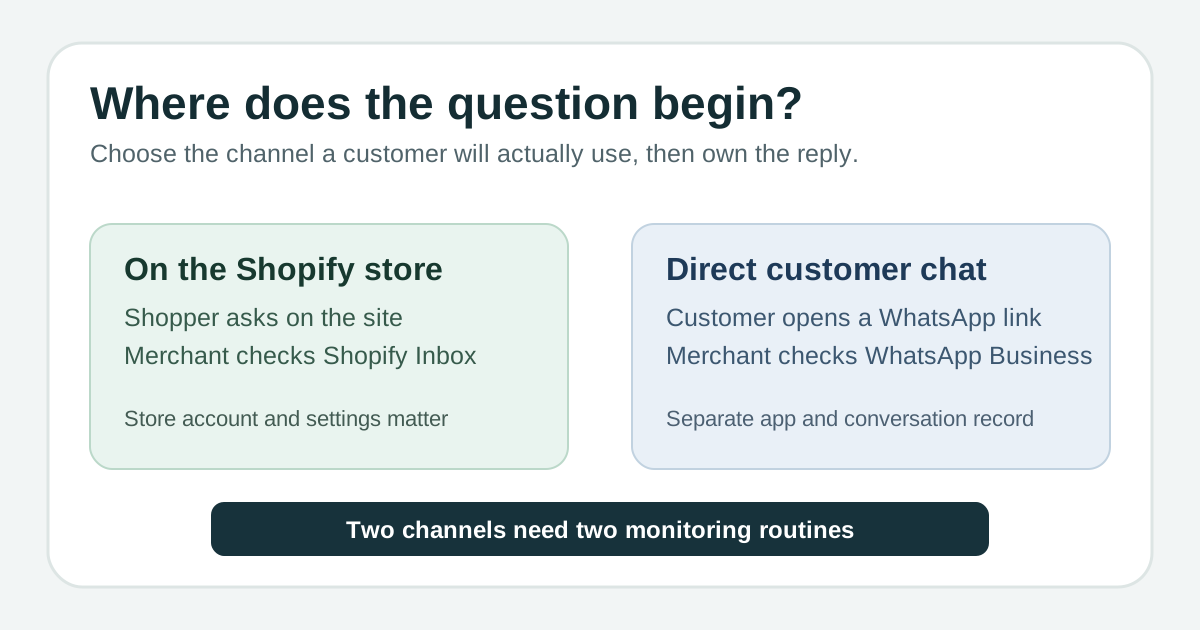
For a small store that already uses Shopify, the useful question is where the customer should start a conversation. Shopify Inbox puts a chat entry point on the store; the standalone WhatsApp Business app receives direct WhatsApp conversations, including those started from a business link. Choose Inbox for questions arising while someone shops on the site, WhatsApp when customers already use that channel, or both only if someone can watch and own both queues. These are separate conversation paths, not a shared inbox. Shopify's Inbox setup guide and WhatsApp's short-link guide describe the two entry points.
We reviewed current Shopify and WhatsApp help pages and Copied's public product description on November 8, 2026. We did not operate a Shopify store, WhatsApp Business account or iPhone in these flows. Settings, availability and offers can vary by account; check your own customer-facing path before publishing a contact link.
Compare the actual customer and merchant paths
| Decision | Shopify Inbox | WhatsApp Business app |
|---|---|---|
| Where the question begins | Online-store chat widget; the shopper is already on the Shopify site. | A direct WhatsApp conversation, which can begin from a shared business short link. |
| Where you reply | Shopify Inbox on web or its iOS and Android app, subject to staff permissions. | The WhatsApp Business app on iPhone or Android. |
| Store context | Shopify staff can share product links and discount codes in the store conversation. | Keep product, order and customer facts checked in your store records before answering; do not assume an Inbox record appears here. |
| Customer access | A staff-chat sign-in or contact-information step may apply, depending on customer-account settings. | A short link opens WhatsApp chat for someone with the app, or a browser handoff. |
| Cost boundary | Shopify describes Inbox as a free app, but the underlying Shopify store plan carries a recurring subscription after trial or promotional terms. | WhatsApp calls the standalone Business app free to download; check any optional offer separately. |
Shopify documents the store widget, web/mobile merchant access and staff permissions in its setup guide; its Inbox overview describes sending product links and discount codes. The sign-in caveat comes from Shopify's chat settings. WhatsApp documents the app and business link in its Business app overview and its short-link guidance. The cost distinction follows Shopify's free Inbox app description and Shopify's store billing overview.
Choose on-site chat when the question belongs to the store visit
If a shopper is looking at a product and asks about a size, delivery condition or store policy, on-site chat keeps the entry point beside that visit. Shopify says you install Inbox on a Shopify store and can add its chat widget to the online store. Staff can handle conversations on web or the mobile app; permissions govern who can reply and share store content. Shopify's installation and access guide. Give the channel an owner and check notification settings, especially if the owner answers from an iPhone.
Do not promise a frictionless conversation to every visitor. Shopify's Require sign-in to chat with staff setting can make a customer sign in before messaging staff; legacy customer-account setups have a contact-information setting instead. Shopify also distinguishes visitor conversations from signed-in customer records. Review the live chat as a visitor and the account setting before telling customers they can simply ask without an extra step. Shopify's current sign-in guidance.
Choose direct WhatsApp when customers already use that channel
A returning client who routinely messages your business in WhatsApp may prefer to continue there rather than return to a store chat widget. WhatsApp says the Business app runs on iPhone and Android and includes a business profile, contact organization and messaging tools. Its generated short link lets a customer with WhatsApp open a direct chat; a browser visitor sees a handoff page. WhatsApp's app description and short-link help.
Put that link only where you want direct enquiries. WhatsApp says anyone with the link can message the business, so decide who monitors the account and what information the customer should receive before replying. A WhatsApp conversation is not proof of a Shopify order, payment, inventory status or identity. Open the relevant store record when the answer depends on it. If your job is sharing one item in WhatsApp rather than choosing a chat channel, use the catalog-item link guide.
Offer both only with a two-inbox routine
Imagine a fictional home-goods store: a shopper asks about a lamp shade on the site while a repeat customer asks about delivery through the store's WhatsApp link. These are two illustrative enquiries, not observed customer behavior. The owner checks Shopify Inbox for the first and WhatsApp Business for the second, assigns a responder in each place, then verifies product and order details in the store before answering. Posting two contact choices without a monitoring plan risks an unanswered question.
- Name one person who checks Shopify Inbox and one who checks WhatsApp Business, even if it is the same owner.
- Set a realistic checking routine for each channel and tell customers where to send an urgent or order-specific question.
- Keep the conversation and any assignment in the channel where the message arrived. Verify store details separately before making a promise.
- Review the customer-facing entry paths after changing sign-in rules, store theme or a business contact link.
Shopify's guidance describes staff assignment within Inbox, not a merged WhatsApp Business queue: Shopify's customer-service page. WhatsApp's standalone app describes its own business conversations: WhatsApp Help. Any third-party integration would need its own current documentation and account test; this article makes no integration claim.
Keep costs and saved wording in their proper place
The word free means different things here. Shopify calls Inbox a free app for a Shopify store, while its store subscription has recurring charges after any trial or promotion; review the current store plan before choosing Shopify just for chat. WhatsApp calls its standalone Business app free to download, which does not establish a blanket free tier for every optional business messaging product or future feature. Shopify's Inbox description, Shopify's billing overview and WhatsApp's Business app description.
Use the native channel's own tools when you only answer there. If you personally reuse the same reviewed answer across Shopify Inbox, WhatsApp and other compatible iPhone or iPad text fields, Copied's published description explains saving text as a Key for manual insertion. Check the customer and current facts, personalize the wording, then send it yourself. Copied does not connect Shopify and WhatsApp, read either inbox, retrieve orders, synchronize records or send messages automatically. The WhatsApp Quick Replies guide covers the narrower one-channel tool.
Start with the channel that matches where your customers actually ask. If both channels have a clear owner and manual cross-app wording reuse would help, explore Copied for iPhone and iPad. For a different choice about shared email support, read the help-desk comparison.
References
- Shopify Help Center, Shopify Inbox Store visitor chat, product links and discounts, merchant mobile/web access. Shopify; individual author/update date unstated. Checked November 8, 2026; no account test.
- Shopify Help Center, Installing and accessing Shopify Inbox Install on store, widget, web/iOS/Android handling and staff permissions. Shopify; individual author/update date unstated. Checked November 8, 2026; no account test.
- Shopify Help Center, Customize Shopify Inbox chat settings and appearance Staff chat sign-in and legacy contact form depend on customer account settings; visitor record caveat. Shopify; individual author/update date unstated. Checked November 8, 2026; no account test.
- Shopify Help Center, Providing online customer service Inbox described as free app, store visitor messaging, mobile/web replies and staff assignment. Shopify; individual author/update date unstated. Checked November 8, 2026; no account test.
- Shopify Help Center, Pricing plans and billing overview Store plans carry recurring subscription charges; trial and promotional terms differ. Shopify; individual author/update date unstated. Checked November 8, 2026; no purchase test.
- WhatsApp Help Center, About WhatsApp Business Standalone app free to download on iPhone/Android, business profile and messaging tools. WhatsApp/Meta; individual author/update date unstated. Checked November 8, 2026; no account test.
- WhatsApp Help Center, How to create short links Business short link, direct WhatsApp chat and browser handoff, anyone with link may message. WhatsApp/Meta; individual author/update date unstated. Checked November 8, 2026; no device test.
- Copied, product homepage Keys and manual insertion in compatible iPhone/iPad fields; no Shopify or WhatsApp integration. Publisher Sharply Labs; checked November 8, 2026; no native test.