Guides
Running Late to a Client Visit? Send a Useful Update from iPhone
A late-arrival message needs a real estimate, the right recipient and a clear next update if timing is uncertain.
Published , 4 min read, by Copied Editorial team
If you are running late to a client visit, compare three times before sending anything: the booked start, your current travel arrival estimate, and when you can send another update if the estimate changes. Tell the client what you know now, avoid a made-up arrival minute, and use a channel they can recognize. Pull over safely before reading or composing a manual message.
This guide covers an existing in-person visit whose arrival is slipping. It is not a booking change or a test of message delivery. We checked Apple, Jobber and Copied documentation on November 14, 2026; we did not drive a route, use a Jobber account or send a client message. Your booking record and current route supply the real facts.
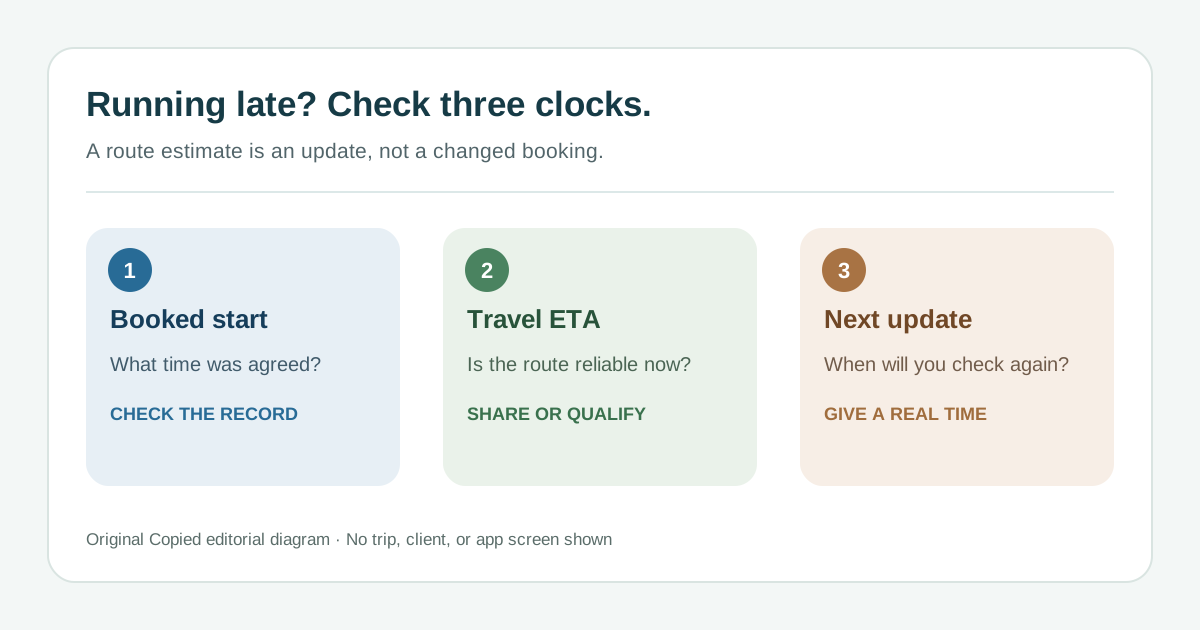
Check the three clocks
| Clock | What to check | What it changes |
|---|---|---|
| Booked start | The actual visit record, address and client contact | Whether you are late to the agreed visit |
| Travel arrival | A current route estimate after traffic and any stop | Whether you can give a useful arrival range |
| Next update | A realistic time when you can check again safely | What to say if arrival is still uncertain |
A navigation ETA can move as traffic changes. If it gives a credible arrival, use a range you can stand behind instead of treating a single minute as a promise. If you cannot estimate yet, say so and commit to a specific next update you can make. Check whether the delay would push the job outside the agreed service window; if it would, the visit may need a booking decision rather than another arrival text.
Use the native update when it already fits
If you are actively navigating to the visit in Apple Maps, Apple's Share ETA guide describes sharing arrival progress with a chosen contact; it updates for significant delays during the trip. Check the recipient and whether sharing your live travel progress is appropriate before starting it. Feature availability can vary by region. A shared ETA is useful for a moving journey, but it does not tell a client whether the booked service window changed or what to do if the visit cannot proceed.
For businesses with an eligible Jobber account, Jobber's On My Way guide documents a visit-linked text with a selected minutes estimate and message preview. It applies on select plans and in the supported US, Canada and UK texting setup, with a text-enabled client contact. Review the number, visit and estimated minutes before sending. Check actual plan and country eligibility; a Jobber page is not evidence that every account can use it. When the visit system has the right record and channel, that can be a cleaner path than retyping a separate message.
Neither option proves the client opened the update. If a reply is needed, make sure the selected channel supports it or provide a working contact route. If the native option is unavailable or lacks the context the client needs, send one reviewed manual message in your usual client conversation.
Write one manual update without guessing
- Stop in a safe place. Open the correct visit and client conversation; verify the address and booked start.
- Check the current route estimate. Decide whether it supports a credible arrival range or only a promise to update again.
- Lead with the delay, then give the verified range or the next update time. If the client must act, say how to reply or call.
- Read the recipient and full message before sending. If the ETA changes materially, send a new update that supersedes the old estimate.
These original examples use fictional clients and placeholders. Replace every bracket with a fact from the current booking or route. Do not send the sample as written:
- Credible range: ‘Hi Maya, I am running late to our [service] visit. My current arrival estimate is [range]. I will update you if that changes. Please reply here if the later arrival causes a problem.’
- Timing uncertain: ‘Hi Maya, I am delayed on the way to our [service] visit and cannot give a reliable arrival time yet. I will check again and update you by [time]. Please reply here if you need to make another plan.’
- Visit may not work: ‘Hi Maya, the delay may put our visit outside the agreed window. I am checking the booking now and will contact you by [time] with a realistic option. Please reply here if you need to speak sooner.’
The third message is a holding update, not a new appointment. If you must offer, agree or record a different slot, use our appointment rescheduling checklist. For an initial visit time, see the separate confirmation guide. Keep the booking record consistent with any later agreement.
Keep reusable wording separate from live timing
A saved opening such as ‘I am running late to our visit’ can be reusable; an arrival estimate, client name, service and next-update time cannot be trusted as reusable facts. Copied's product description says Keys can manually insert saved text in compatible iPhone and iPad fields. Review and personalize it in the destination before you send. Copied does not read Maps or a booking, calculate an ETA, send the update or prove delivery.
If you regularly write these reviewed updates in compatible fields, review Copied for iPhone and iPad as an optional wording tool. Use a native visit message or shared ETA first when it already covers the client's job. Finally, Apple's Driving Focus guidance describes limiting interruptions and an optional auto-reply while driving. Set any driving controls before travel and handle manual updates only when safely stopped.
References
- Apple Support, Share your ETA in Maps on iPhone Share ETA during active navigation, selected contacts, significant-delay updates and regional availability. Apple; checked Nov14, 2026; no route/device test.
- Apple Support, Stay focused while driving with iPhone Driving Focus limits interruptions and may send configured auto-reply. Apple; checked Nov14, 2026; no device test.
- Jobber Help Center, On My Way Text Messages in the Jobber App Visit-linked On My Way text, minutes selection and preview; select plans and supported US/Canada/UK texting setup. Jobber; updated Nov12, 2026; checked Nov14; no account test.
- Copied, product homepage Publisher-declared Keys for manual insertion in compatible iPhone/iPad fields; no route ETA, scheduling, sending or delivery proof. Sharply Labs; checked Nov14, 2026; no app test.