App Reviews
Jobber vs Square Appointments for Mobile Service Visits
Choose the system that holds the work after a customer picks a time: an appointment slot or a job at a property.
Published , 5 min read, by Copied Editorial team
For a US solo service owner, the choice starts with what the schedule must hold after a customer picks a time. Square Appointments is worth evaluating when a bookable service slot, staff calendar and Square checkout are the main record. Jobber is worth evaluating when work happens at a client's property and the day depends on a job, assigned visit, address and crew. A booking page alone cannot answer which record your business needs after the appointment is made.
This is a comparison of official US-facing Square and Jobber documentation checked November 14, 2026. We did not use either account or iPhone app, book a client, take a payment or send a text. Features, eligibility and prices depend on plan, region and settings. The recommendations below are workflow inferences, not measured product results.
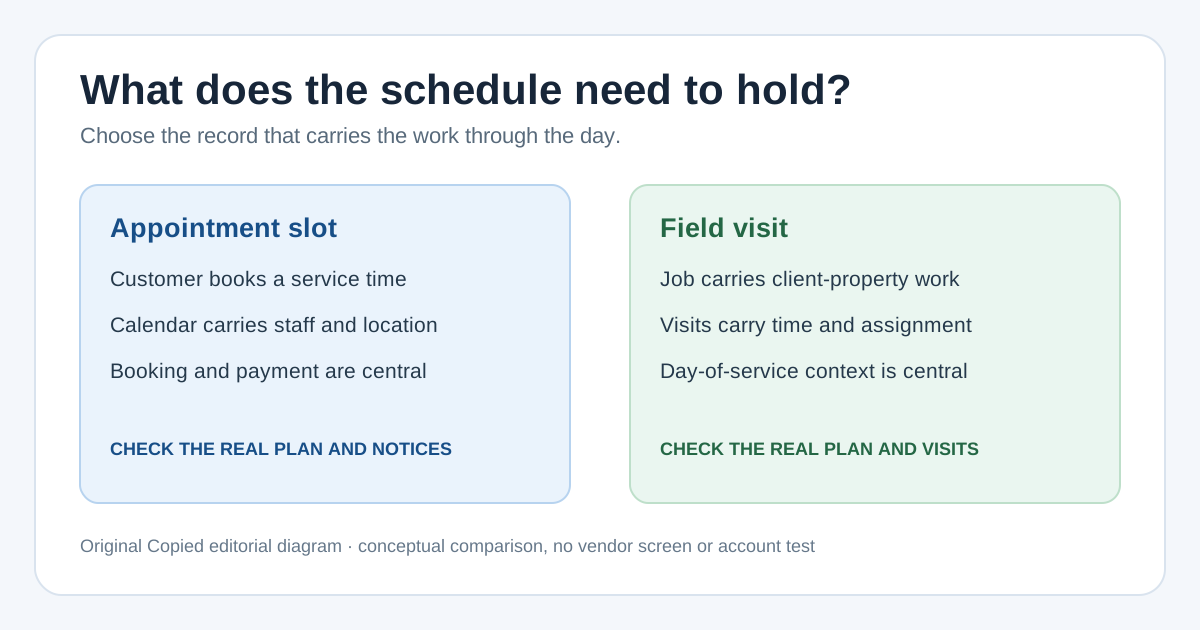
The deciding question: slot or property visit?
| What the day needs | Square Appointments | Jobber |
|---|---|---|
| Primary work record | Service appointment with customer, staff, time and location | Job with one or more visits to a client's property |
| On the phone | Create and manage appointments in Square's iOS app | Review visits, property addresses and assigned work in the Jobber app |
| Team travel | Check whether the appointment calendar gives your staff enough address and route context | Jobber documents day, list and map schedule views for visits |
| Customer updates | Booking confirmations and reminders depend on settings and plan | Visit-linked On My Way text is available only on eligible plans and supported texting setups |
| Plan entry | US Square Free has no monthly charge, but advanced bookings eligibility must be enabled; payment fees apply | Time-limited trial followed by paid subscription plans; no ongoing free tier |
The first row is the operational difference. Square's scheduling guide describes an appointment with a customer, service, staff member and location in Dashboard or its iOS app. Jobber's visit guide defines a visit as a trip to a client property for a job. A mobile cleaner doing recurring work at several addresses may need the latter record. A barber at one location may mainly need the former. These are examples for choosing what to evaluate, not claims that either product cannot serve another business.
Where Square Appointments fits
If customers choose a service and time, Square's calendar can keep the booked appointment close to the seller's payment workflow. Its iOS scheduling instructions cover choosing the client, service, staff, location and notification options. That is a concrete starting point for a studio or a one-location service. For work at customers' addresses, try a representative booking and check what the employee sees on the service day before deciding that the appointment record is sufficient.
Square's US pricing page lists an ongoing Square Free option without a monthly subscription charge. Payment processing still has fees. Square's scheduling eligibility guide separately names Appointments Free subscribers and Square Free subscribers who have added advanced bookings capabilities. Check that capability in the actual account before assuming the Free plan can schedule this workflow. Some booking or notification controls vary by plan; Square's notification guidance describes confirmation and reminder settings, which also depend on customer preferences. Do not promise an automated message from a plan name alone.
Where Jobber fits
Jobber's mobile schedule guide describes visits linked to jobs and client properties, assignments and several schedule views including a map. It also describes a read-only prefetched schedule when connectivity is poor; that does not mean all work can be edited offline. If a crew needs the property address, visit status and who is assigned on the same day, test the complete job-to-visit handoff in a trial account.
Jobber's pricing page offers a free trial and paid plans; the trial is not an ongoing free plan. Current prices and included users depend on the selected plan and commitment, so compare the live offer for your team instead of relying on a fixed figure here. Jobber's On My Way documentation describes a visit-linked text on select plans in supported US, Canadian and UK texting setups. It needs an eligible contact and number; Jobber's Core-plan guide excludes On My Way from Core. Do not choose Core expecting that specific update.
Run one realistic handoff before buying
Use one fictional or consented example from your real service pattern. Enter a booked customer, address, service, assigned person and expected visit time. On an iPhone, ask which record staff open when they leave for the address, how they see a later change, and where they check payment and the client's contact preference. Verify what each plan actually lets you do; avoid using a real customer's details in a trial without your normal privacy process.
- If the essential handoff is customer booking to service calendar to Square checkout, check advanced-bookings eligibility and test Square Free or an eligible paid-plan trial for the missing field-work steps.
- If the essential handoff is request or job to property visit to assigned crew, start the Jobber trial and verify the plan and texting eligibility you would pay for.
- If both paths appear viable, compare the total subscription and payment costs for your actual workload, plus the work your staff must duplicate. Neither vendor's marketing page substitutes for that account-level check.
Deposit handling is a separate decision: our booking-deposit comparison covers the payment-policy handoff. For the message when a service person is already delayed on the way, see the late-arrival guide. Those tasks should not decide which system owns the visit record.
Keep reusable wording in its proper role
After selecting a booking system, you may still write the same reviewed service instructions in several compatible iPhone or iPad text fields. Copied's product description says its Keys can hold text for manual insertion. Review the recipient, address and current appointment before sending. Copied does not schedule a Square appointment or Jobber visit, connect to either account, send native reminders, track a worker or take payment. Use the vendor's native client updates when they cover the task. If manual cross-app wording remains a repeated job, review Copied for iPhone and iPad as an optional text library.
References
- Square, Appointments Pricing & Plans US Free has no monthly subscription charge; payment fees and plan feature differences apply. Square; checked Nov14, 2026; no account test.
- Square Support, Create and schedule appointments Appointment customer, service, staff, location and notification choices in Dashboard/iOS. Square; checked Nov14, 2026; no device test.
- Square Support, Manage appointment booking notifications and reminders Confirmation and reminder settings depend on plan and preferences. Square; checked Nov14, 2026; no delivery test.
- Jobber, Pricing Trial is temporary and plans are paid with user/commitment differences. Jobber; checked Nov14, 2026; no purchase test.
- Jobber Help, Schedule in the Jobber App Mobile visits, property addresses, assignments, schedule views and read-only prefetched schedule. Jobber; updated Oct29, 2026; checked Nov14; no app test.
- Jobber Help, Visits Visit as trip to client's property for a job. Jobber; checked Nov14, 2026; no account test.
- Jobber Help, On My Way Text Messages in the Jobber App Select plan and country/texting requirements. Jobber; updated Nov12, 2026; checked Nov14; no delivery test.
- Jobber Help, The Core Plan Core excludes On My Way. Jobber; checked Nov14, 2026; no account test.
- Copied, product homepage Manual Keys insertion in compatible iPhone/iPad fields; no scheduling, integrations, sending or payment. Sharply Labs; checked Nov14, 2026; no native app test.