App Reviews
HubSpot vs Zoho CRM for Small Business: Users, Records and Follow-Ups
Check the people, records and phone tasks your CRM must support. Keep customer status separate from reusable wording.
Published , 4 min read, by Copied Editorial team
For a small business choosing between HubSpot and Zoho CRM, start with the people who need access and the customer record you need to maintain. HubSpot’s current Free tools allow two users and 1,000 contacts. Zoho CRM advertises an ongoing Free edition for three users. Neither a seat count nor a free app download proves that every field, record allowance or follow-up feature you need is included.
This is a documentation-based comparison using official sources reviewed on October 27, 2026. We have not created accounts, imported contacts, migrated data, sent follow-ups or tested the phone apps. Check the offer and included features in your intended account before moving business records.
Compare the account with the actual job
| Requirement | HubSpot | Zoho CRM |
|---|---|---|
| Ongoing free access | Up to 2 users and 1,000 contacts. | Free for 3 users; verify the required record/storage allowance separately. |
| Existing reusable wording | Free table lists up to 3 snippets and 3 email templates. | Free page lists up to 10 custom email templates. |
| Mobile connectivity | Record viewing, creating and editing require internet/data. | Mobile specifications describe offline edits and later synchronization; verify the actual task. |
| A concrete upgrade reason | Additional users or contacts beyond the stated free limits. | Required custom fields/modules or other capabilities outside Free. |
HubSpot’s Free tools page is the source for its user, contact and template allowances. Zoho’s US Free edition page lists its user and template allowances. These are continuing free offers, separately from trials of paid functionality. Check the current paid offer in your region if a required feature exceeds the free allowance.
Keep the customer record in the CRM
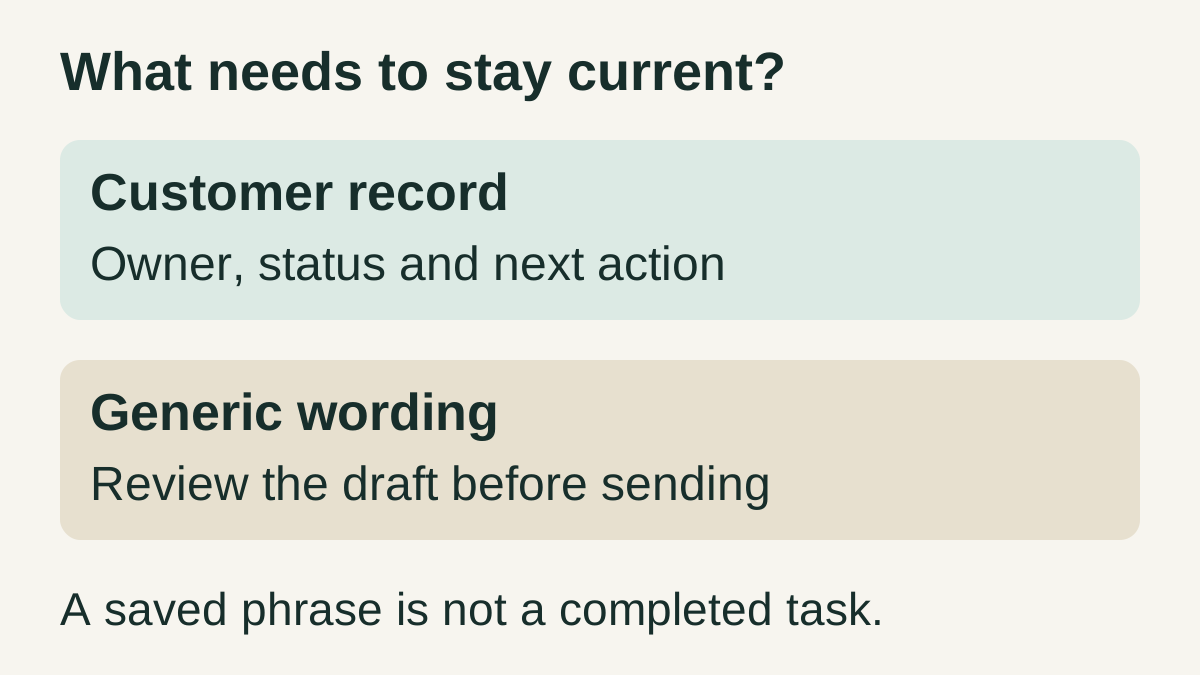
Before choosing, identify what must remain current: the customer’s contact details, the responsible person, the last interaction and the next action. A reusable acknowledgement does not establish that anyone has completed the follow-up. Our recommendation is to keep customer status and task completion in the maintained CRM record, and review that record before using generic wording.
Zoho’s iOS guide describes a weekly activity view, adding and editing records, and changing the record owner. Check which modules and permissions are available to the intended person. Seeing a product feature in documentation does not mean every user has permission to change every record.
Check the phone workflow and field requirements
HubSpot’s mobile record guide says records cannot be created, edited or viewed without an internet or data connection. It covers products and plans with additional subscriptions required for some features. A mobile app listing is therefore insufficient evidence for an offline requirement or universal feature access.
Zoho’s specifications separately describe mobile offline changes synchronizing when connectivity returns, and distinguish Free from a paid-edition trial. Its edition table shows no custom fields or custom modules on Free. If your workflow requires a particular custom field, test that entitlement before settling on a free edition. No offline synchronization or migration behavior was tested for this comparison.
A fictional three-person service team checks requirements separately
Imagine a service business with three people needing CRM access and 800 intended contact records. These are fictional planning inputs, not a customer case or measured results. Three users exceed HubSpot’s stated free user allowance and match Zoho’s stated three-user offer. Eight hundred contacts fall within HubSpot’s published contact allowance. That does not establish Zoho’s record capacity or make either account suitable overall.
- List every person who needs access, then confirm the actual user and permission entitlement.
- Check the required contact/record and attachment capacity separately; do not derive it from user count.
- Try a harmless sample record and required fields on the actual account and phone before moving customer data.
- Assign the next action and verify it in the maintained record; a prepared message is not a completed follow-up.
If a maintained existing list already handles your small contact workload, another system may add unnecessary administration. The business contact-sharing guide covers sending your own work details, a separate job from maintaining a customer database.
Use native templates before adding a text library
Start with the CRM’s own snippets or email templates when they cover the repeated wording. If the same generic introduction also repeats outside the CRM, you can evaluate Copied for manual text insertion in a compatible iPhone or iPad field. Keep customer records, task state and account access in their intended systems. Copied is not a CRM, does not synchronize customer status and does not send follow-ups automatically.
For example, keep a generic opening such as “Thanks for your enquiry. I will review the details and reply with the next step.” Review the actual customer record, recipient and promised action before sending. The follow-up wording guide covers message structure; the small-business app stack guide helps decide whether a separate reuse tool has a recurring role.
References
- HubSpot, HubSpot free tools Ongoing Free user/contact and native snippet/template allowances; paid features are separate. Reviewed October 27, 2026.
- HubSpot Knowledge Base, Create and manage records in the HubSpot mobile app Mobile record viewing, creation and editing need connectivity; feature entitlement varies. Reviewed October 27, 2026.
- Zoho CRM, Zoho CRM Free edition US Free edition user/template allowances and mobile availability; verify account limits. Reviewed October 27, 2026.
- Zoho CRM Help, Specifications in Zoho CRM Free edition custom-field/module limits, separate trial, and declared mobile offline synchronization. Reviewed October 27, 2026.
- Zoho CRM Help, Using the Zoho CRM Mobile App for iOS iOS record/activity management and ownership; actual permissions must be checked. Reviewed October 27, 2026.
- Copied, Copied product overview Manual text reuse in compatible iPhone/iPad fields; no CRM integration claimed. Reviewed October 27, 2026.