App Reviews
Grammarly vs LanguageTool for Small Business Emails: Free Editors and Browser Checks
Choose where to check a client email, confirm what remains free and keep the business facts intact before approving reusable wording.
Published , 3 min read, by Copied Editorial team
Choose a writing checker by where you need the check and what remains available after a trial. Grammarly documents ongoing Free access and a browser editor. LanguageTool offers a website editor, but its specific browser-extension notice requires Premium after the announced trial. A free website check does not establish free checking inside another site’s email field.
We reviewed official documentation on October 30, 2026. This is not a hands-on accuracy comparison. We have not installed extensions, created accounts, uploaded customer drafts or tested suggestions. Use a harmless example in the account and surface you intend to use before changing your working routine.
Separate ongoing access from a trial
Grammarly’s plan comparison separates Free from Pro. It lists spelling and grammar assistance and tone visibility in Free; full-sentence rewriting and tone adjustment appear in Pro. These labels describe the offer, not proof that every suggestion will suit your business or preserve the meaning of a client reply.
Grammarly’s getting-started guide says Free can be used for as long as you want. Its trial guidance describes Pro trials as offers made periodically. Evaluate the ongoing plan separately from temporary paid features. Check the actual upgrade screen rather than planning around a trial you may not be offered.
LanguageTool’s plan table lists a Basic text-field allowance of 2,000 characters and 150,000 for Premium. Count the material you actually need checked. A short reply and a long proposal can produce different allowance requirements. Check the current offer in the account you intend to use. A free download does not establish access to paid checks.
Decide where you want to check the email
LanguageTool’s browser-extension notice states that its hosted extension is limited to Premium users after the announced 14-day trial. The notice distinguishes that change from the website route. Do not treat an older generic description of a free extension as evidence of ongoing hosted-extension access today.
LanguageTool’s access guide describes typing or pasting text into its website editor. Grammarly’s getting-started guide also documents a browser editor that does not require installing another application. Grammarly says its service is cloud-based and requires an internet connection. None of these descriptions proves that your exact client draft field, browser or device has been tested here.
| Your requirement | What to evaluate |
|---|---|
| Occasional short reply | The current website editor and ongoing free allowance. |
| Suggestions while typing in another site | The exact browser extension, supported field and continuing entitlement. |
| A longer proposal | The relevant character allowance and actual paid offer. |
| A reusable customer message | A separate factual review and owner approval after proofreading. |
If occasional website checks fit your day, compare those routes first. If you need continuous checking inside a browser email field, include the extension’s continuing access in the decision. Evaluate the paid option only when that recurring job warrants it; having two checkers underline the same paragraph is not itself a benefit.
Review suggestions without changing the business facts
Imagine an owner reviewing a short appointment reply and a longer proposal. This is a fictional evaluation example, not a customer result. The reply includes a person’s name, an agreed date and a sentence explaining that a quote is still awaiting approval. Those facts must survive every wording change.
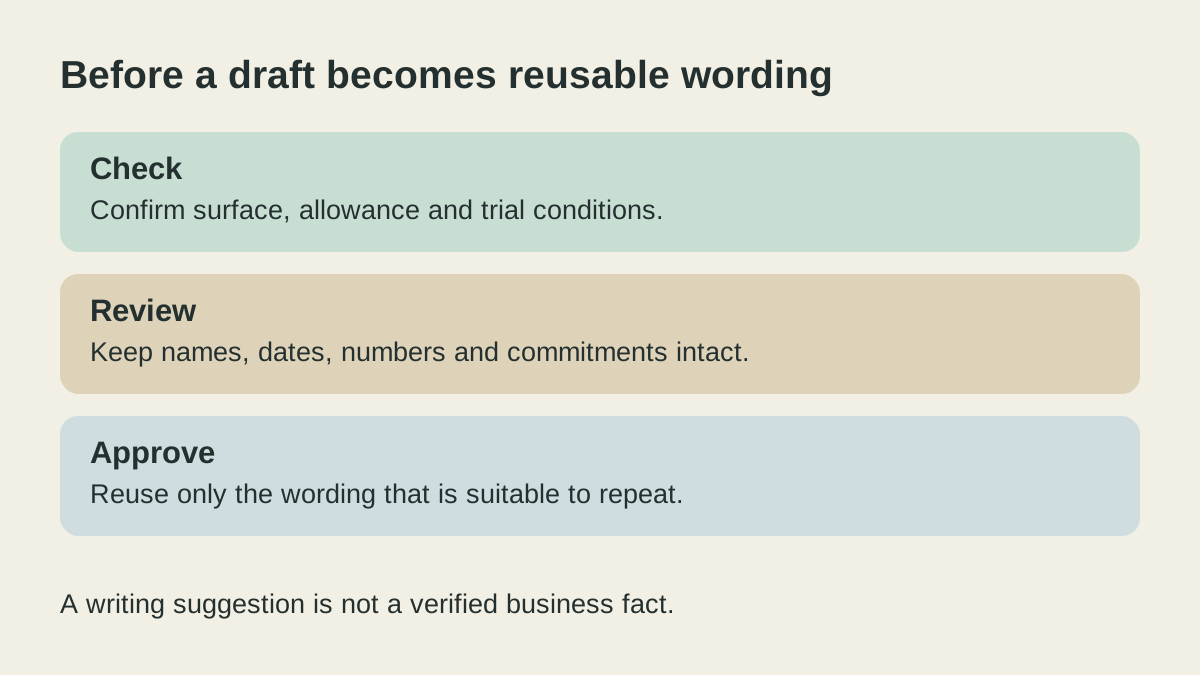
A smoother sentence can still make the wrong promise. Compare the original and suggested version for names, numbers, dates, negation and commitments before accepting it. The example is a review method, not a claim about which vendor catches more errors. Keep the real business record outside this exercise and avoid uploading sensitive customer material merely to try a checker.
Choosing the email application is a separate job; the Gmail and Outlook comparison covers that decision. Neither a checker’s presence nor a polished paragraph establishes that a recipient, attachment or quoted amount is correct.
Approve recurring wording before saving it
After you have reviewed and approved a reusable sentence, Copied can be evaluated for keeping that wording in a Key and inserting it manually into compatible iPhone or iPad draft fields. For example, a neutral request for missing information may be reusable; a specific customer’s quoted price belongs in the individual draft.
Copied is not claimed to proofread text, accept checker suggestions, synchronize a shared approval process or send the message. No Grammarly or LanguageTool integration is claimed. The iPhone email-template guide covers recipient, subject and attachment review. If the wording will not recur, finish reviewing the individual email without adding another library.
References
- Grammarly, Grammarly Prices and Plans Free spelling/grammar and tone visibility versus Pro full-sentence rewriting/tone adjustment. No regional price, accuracy ranking, AI detector or team feature claims. Reviewed October 30, 2026.
- Grammarly Support, Get started with Grammarly Browser editor without installation; cloud-based and requires internet; Free can be used indefinitely. No offline or all-app claim. Reviewed October 30, 2026.
- Grammarly Support, Does Grammarly offer a trial? Pro trial availability is periodic and separate from ongoing essential Free functionality. No fixed trial duration or purchase eligibility. Reviewed October 30, 2026.
- LanguageTool, Upgrade Required to Use the LanguageTool Browser Extension Hosted browser extension requires Premium after the announced 14-day trial; free website route remains. Current specific notice outranks older generic free-extension descriptions; no self-host setup or security claims. Reviewed October 30, 2026.
- LanguageTool, Premium Basic 2000 characters per field versus Premium150000; extension and web editor offers must be distinguished. No regional price, broad trial eligibility or iPhone feature parity; money-back period is not free access. Reviewed October 30, 2026.
- LanguageTool Help Center, Where can I access the LanguageTool Writing Assistant? Website accepts typed/pasted text; browser extension checks where supported. May28 2026 update. Access overview does not override Premium-specific entitlement notice. Reviewed October 30, 2026.
- Copied, Copied product overview Manual approved reusable text Keys in compatible iPhone/iPad drafts. No proofreading, shared approval, grammar-checker integration, automatic sending or free-plan claim. Reviewed October 30, 2026.