App Reviews
Google Translate vs DeepL for Small Business Messages on iPhone
Choose a translation app for the language pair and working conditions you need, then keep reviewed customer wording separate from fresh translation drafts.
Published , 4 min read, by Copied Editorial team
For occasional business messages on iPhone, start with the language pair and the message you need to send. Google Translate is a reasonable first option when its supported languages and downloadable offline packs meet that job. Consider DeepL when its supported pair and a specific paid control, such as formality, address a requirement you actually have. Neither choice removes the need to check customer-facing wording.
This comparison uses current vendor documentation and App Store descriptions, reviewed on October 25, 2026. We have not tested translations, measured accuracy or ranked either app by language quality. The scope is short written messages, rather than interpreting calls, translating contracts or localizing a website.
Compare the conditions behind the app choice
| Decision | Google Translate | DeepL |
|---|---|---|
| Starting cost | US App Store lists the app as free. Check support for the needed language and feature. | Free download and core features; some controls require a paid plan. |
| Working without a connection | Downloadable language packs are documented; availability depends on the language. | Do not assume the mobile workflow you need works offline; verify it before relying on it. |
| Choosing formality | Check the output against the relationship and purpose of the message. | Pro includes a formality control for supported language pairs; the result still needs review. |
| Reusing wording | Saved phrases are listed among app features. Recheck details before sending. | Favorites and history are listed. Keep the approved version distinct from a fresh draft. |
The current Google Translate listing identifies the app as free and describes typed translation and saved phrases. The DeepL listing distinguishes free core features from paid glossary and tone tools. These are feature and offer descriptions, not evidence that every language has the same tools or that all paid features are necessary.
Google Translate: check the language download before an offline job
Google documents text translation in its iPhone and iPad app. For an appointment reminder or collection note, confirm that your source and target languages are supported and that names, dates and the requested action survive your review.
If connectivity is part of the decision, Google’s offline-language instructions give a concrete check: a language without a download option cannot be downloaded. Prepare any required available pack while connected, then verify your intended text workflow before using it away from a connection. A downloadable language does not establish offline support for every camera, voice or other feature.
DeepL: pay for a needed control, rather than a promised quality score
DeepL documents its mobile apps for iPhone and iPad and access to additional features for signed-in Pro users. Its formality documentation identifies a Pro requirement and supported-language conditions. A formal or informal setting may help when that distinction matters to the message; it is not confirmation that the translation is appropriate for a particular recipient.
DeepL also documents sharing selected text into its mobile app, with copy and paste as an alternative. That is a manual translation handoff. It does not establish that DeepL connects to a reply library, changes a customer record or sends the result. If you need an offline workflow, confirm the current mobile support yourself before making it a purchasing requirement.
A message approval card for a repair studio
Consider a fictional independent repair studio sending collection instructions. Its original English note says: “Your item is ready for collection. Please reply with the day you plan to visit.” This is an illustrative example, not a customer case or a translation test.
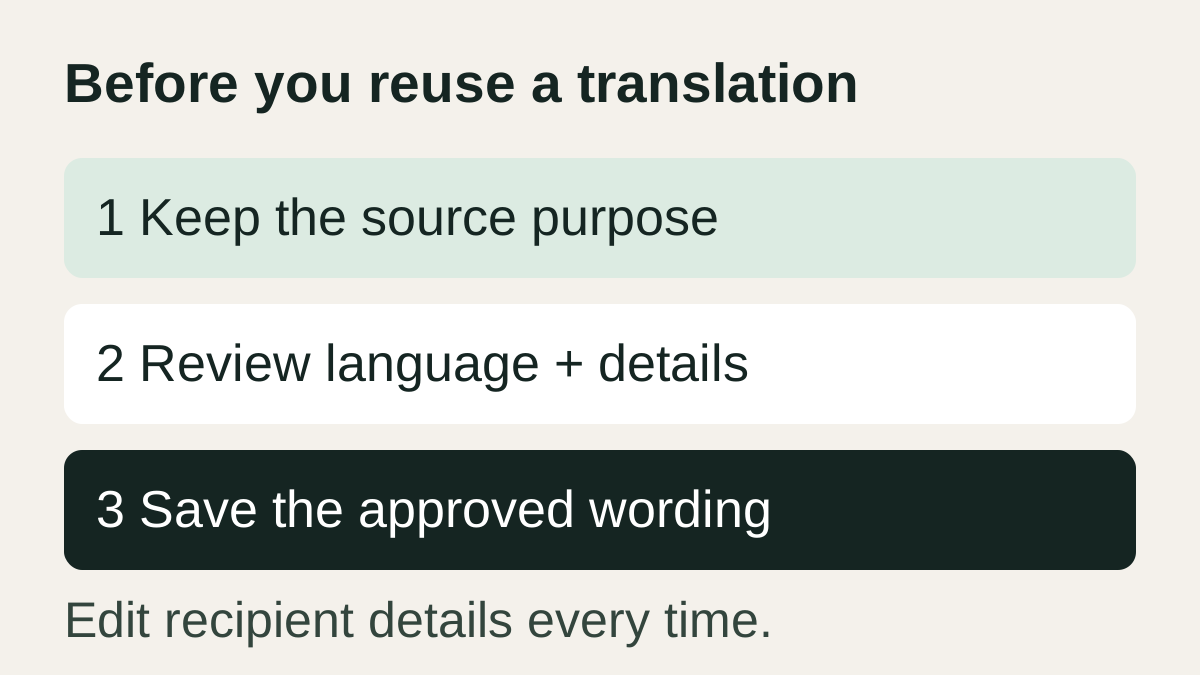
- Purpose: tell the customer the item is ready and ask for a collection day.
- Language pair: record the source and intended recipient language, rather than relying on a guessed label.
- Review: ask someone competent in that language to confirm the requested action, tone and any details you added.
- Personalize: replace the item description and collection arrangements for this customer before sending.
Keep the source note beside the reviewed wording so the next edit has context. If no one can assess the translation, avoid treating it as approved reusable copy. App choice alone cannot settle that judgment.
Keep one approved version when the message repeats
For a message you send once, the translator and the destination app may be sufficient. If the wording repeats, your saved-reply method should help you distinguish the approved language version from drafts. Email-specific formatting and signatures belong in the iPhone email templates guide.
On a compatible iPhone or iPad workflow, you can evaluate Copied for manually storing approved wording as a text Key and reusing it in a supported destination field. Label the language clearly and edit customer details each time. Copied does not translate the message or approve its meaning; no direct connection to either translator is claimed here.
For other everyday categories, use the small business app stack guide. Choose the translation app for the supported pair and constraints first, then decide whether a separate reuse tool adds value.
References
- Google, Google Translate on iPhone and iPad Typed text translation in the iPhone/iPad app. Reviewed October 25, 2026.
- Google, Download languages to use offline Offline downloads depend on available languages, not every app feature. Reviewed October 25, 2026.
- Google on Apple App Store, Google Translate App Store listing Current US listing describes free app and saved phrases; features vary by language. Reviewed October 25, 2026.
- DeepL, DeepL mobile apps Mobile platform and Pro sign-in context, not an installed test. Reviewed October 25, 2026.
- DeepL on Apple App Store, DeepL Translate App Store listing Core free features are separate from paid glossary and tone tools. Reviewed October 25, 2026.
- DeepL, Use the formality feature Formality requires Pro and a supported language pair. Reviewed October 25, 2026.
- DeepL, Translate text from other apps with DeepL Share or manual copy/paste is a documented route, not a vendor integration. Reviewed October 25, 2026.
- Copied, Copied product page Manual text reuse in compatible iPhone/iPad fields. Reviewed October 25, 2026.