App Reviews
Docusign vs Dropbox Sign for Small Business: Signing or Requesting Signatures?
Choose a signing account by who must sign, how requests are counted and what proves completion.
Published , 3 min read, by Copied Editorial team
For a small business comparing Docusign and Dropbox Sign, the first question is who needs to sign. Signing a document yourself and asking a client to sign are different account requirements. A free signer account should not be treated as a continuing free allowance for collecting signatures.
This is a documentation-based comparison of official pages reviewed on October 28, 2026. We have not created signing accounts, uploaded documents, requested signatures or tested these services. The comparison covers software selection; it does not assess whether a particular signature satisfies your agreement or jurisdiction.
Separate the free offers
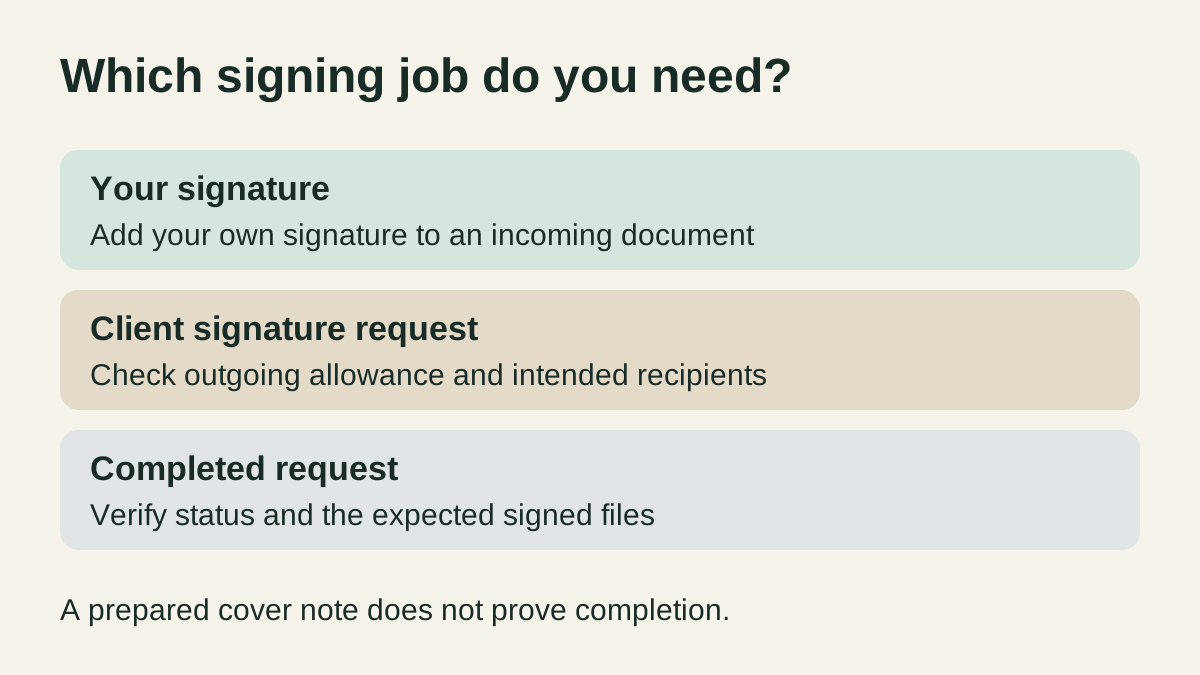
Dropbox’s Free plan guide lists three signature requests, renewing every 30 days from signup. Adding your own signature does not consume that allowance. The guide describes a request as a transaction that can bundle documents and signers, rather than a count of individual PDF pages.
Docusign’s free-account page describes a continuing signer account for signing, returning and storing documents. For collecting other people’s signatures, it directs readers to a premium trial. This page does not establish a recurring free sending allowance. Check the actual account offer before relying on one.
| Reader requirement | Dropbox Sign | Docusign |
|---|---|---|
| Add your own signature | Free self-signing is separate from its request allowance. | Continuing free signer account is described. |
| Collect client signatures repeatedly | Free request allowance has a 30-day renewal cycle and a stated limit. | Check a sending plan separately from free signer access. |
| Count work correctly | Count request bundles, not PDF pages. | An envelope may contain multiple documents and recipients. |
| Repeat document preparation | Check whether the intended plan includes native templates. | Check included templates and sender access. |
Dropbox Sign’s pricing FAQ separately describes a 30-day trial of paid features. A trial should not become the assumed long-term operating plan. Compare the account’s included features, sender access and current regional offer before purchasing.
Count outgoing transactions separately
Imagine a studio that needs to add its own signature to two incoming documents and send four separate client request bundles during one 30-day cycle. Those are fictional planning inputs, not customer results. Its own signatures and outgoing requests must be counted separately. Four client bundles exceed Dropbox Sign’s stated three-request Free allowance for that cycle.
Docusign’s envelope guide explains that one envelope can contain several documents and recipients. It lists five monthly envelopes for Personal. That allowance belongs to the Personal plan. The studio still needs to check the account’s other required features. Check the current account and required features before deciding.
Do not combine unrelated clients’ documents to reduce a count. Choose the appropriate recipients and document access for each transaction. A document’s page count also says nothing about whether the recipient has completed signing.
Keep completion evidence in the signing service
Docusign’s guide describes managing envelopes by status. Dropbox’s audit-trail guide distinguishes completed signature requests from self-signing, which does not include the same audit trail. Check the maintained request record and expected completed files before telling a client the process is finished.
For feedback on a PDF before signature, the iPhone PDF review comparison covers a separate job. A marked-up file or downloaded attachment is not, by itself, evidence that all requested signatures are complete.
Use native document templates first
A signing service’s native template can retain prepared fields when the intended plan includes that capability. Use that for repeated document preparation. A text library cannot replace signer fields, recipient permissions or the request record.
If a generic cover note also repeats outside the signing service, Copied may help with manual wording reuse in a compatible iPhone or iPad draft field. For example: “Please review the document in the signing request. Let me know if you have a question before proceeding.” Check the actual recipient, document and requested action before sending it. Copied does not sign documents, track signature completion, integrate with these accounts or send reminders automatically.
Use the small-business app stack guide to decide whether that separate wording task repeats enough to justify another tool. If your current signing service already handles the whole job, keep the workflow there.
References
- Dropbox Help, Can I use Dropbox Sign for free? Continuing Free request allowance, renewal cycle and separate self-signing; verify the account offer. Reviewed October 28, 2026.
- Docusign, Free Docusign account Continuing signer account; collecting other signatures is a separate offer. Reviewed October 28, 2026.
- Docusign, What is a Docusign Envelope? Envelope contents, maintained status and Personal plan allowance; not a free-account promise. Reviewed October 28, 2026.
- Dropbox Sign, Plans and pricing Paid-feature trial and native prepared-field templates; check actual plan inclusion. Reviewed October 28, 2026.
- Dropbox Help, Understanding audit trails in Dropbox Sign Completed-request audit records differ from self-signing; vendor description. Reviewed October 28, 2026.
- Copied, Copied product overview Manual repeated wording in compatible iPhone/iPad fields; no signing integration. Reviewed October 28, 2026.