Guides
How to Reply to a Customer Return Request from iPhone
A return request is not an approval or refund. Check the order and existing notice, then send only the next step you can confirm.
Published , 4 min read, by Copied Editorial team
When a customer asks about a return, first find the right order and the recorded request. A submitted request means the store has something to review; it does not mean the return is approved, the item has been received, or a refund has been issued. If your store already sent a clear request or decision notice, use that record before composing another message. Reply only with the state and next step you can verify.
This guide is for a small online-store owner answering from an iPhone. We reviewed official Shopify and Copied guidance on November 19, 2026. We did not use a merchant account, handle a customer return, send a notification, issue a refund or test an iPhone. Your own order record, policy and payment provider control the actual case.
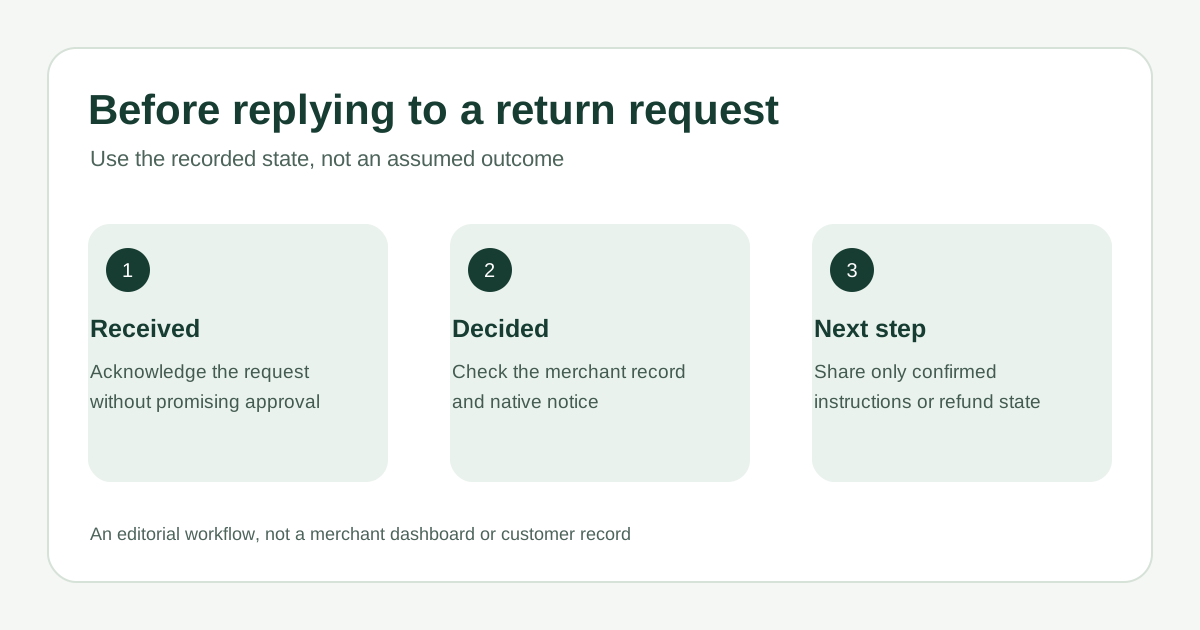
Name the state before you write
| Recorded state | What you can say | What remains unconfirmed |
|---|---|---|
| Request received | We received your request and are reviewing it | Approval, label, return instructions and refund |
| Return approved | The store approved the return; follow the confirmed instructions | Receipt of the item and any refund |
| Return processed or refund issued | Describe only the completed action shown in the order and payment record | Bank arrival time unless your provider confirms it |
Shopify's self-serve returns overview distinguishes a customer's request from the merchant's approval or decline. Its return-processing guide also separates receiving and processing returned items from a refund, which may be issued immediately or later. These are Shopify workflows; check your own provider before applying the same labels elsewhere.
Check the order and the notice
- Match the sender with the exact order and item. Check whether a return request was actually submitted, its current state and any relevant reason in the merchant record. Do not copy another customer's return link or private account URL.
- Review your store's current return rules and policy for that order. Do not infer eligibility, fees, label availability, refund amount or timing from a generic message template.
- Check whether the store already sent the customer a request-confirmation, approval or decline notice. A configured template does not prove this particular customer received or read the email.
- If the notice gives the right next step, avoid a conflicting duplicate. If the customer asked a follow-up or the notice is missing or unclear, send one reviewed reply through the expected channel.
Shopify's setup guide says self-serve returns must be activated before customers can submit requests from the order-status experience, and describes distinct confirmation, approval and decline emails. It also says merchant return-request notifications are not available in the Shopify app; do not rely on an assumed in-app alert. Shopify's request-management guide describes reviewing a request in the admin and sending return instructions or a label after approval. None of these settings verifies delivery of a particular customer email.
Write the reply that fits the verified state
For a request still under review, acknowledge receipt without promising approval. Tell the customer where to find the store's return policy or how they will receive a decision, using only channels and steps your store actually supports. Do not ask them to ship an item to an unverified address or promise that a label is ready. If you cannot see the order or decision on your phone, use the supported merchant admin route or ask the person who owns returns before replying.
Fictional example for a verified pending request: ‘Hi Alex, I can see your return request for order [reference]. We are reviewing it against our current return policy. We will send the decision and any return instructions through our usual order email. Please wait for those instructions before sending the item.’ Replace every placeholder and confirm the notice route in your own store. If the request was not submitted, do not use this acknowledgement.
- After approval, quote only the return instructions and label the store actually provided. Approval alone is not proof of a refund.
- After a refund action, check the order and payment record before saying it was issued. Do not promise when funds will reach a bank or card.
- If the question is about a shipment heading to the customer rather than a return request, use the separate order-tracking update guide.
Where Copied fits
Copied's product page describes saved text Keys that a person inserts into compatible iPhone and iPad text fields, reviews, personalizes and sends. If you repeatedly acknowledge return requests, a Key may hold stable opening and process wording. Put the live order reference, item, decision and approved instructions in the draft yourself. Keep names, addresses, return links, reasons and refund details out of a reusable Key. Copied does not connect to Shopify, inspect requests, decide eligibility, issue refunds or send messages automatically. Some apps and secure fields do not accept third-party keyboards.
If your store's native notices answer the customer, use those. For repeated personal follow-ups that still need your review, see whether Copied fits your iPhone or iPad reply workflow. For general reply reuse, see the separate customer-reply guide.
References
- Shopify Help Center, Self-serve returns and cancellations Submitted request requires merchant review; approval or decline is separate. Shopify; checked Nov19, 2026; individual author/update date unstated; no account test.
- Shopify Help Center, Processing and managing returns Return processing and refund can be separate actions. Shopify; checked Nov19, 2026; no transaction test.
- Shopify Help Center, Setting up self-serve returns and cancellations Feature activation and distinct request confirmation, approval and decline emails; merchant request notifications not in Shopify app. Checked Nov19, 2026; no notice test.
- Shopify Help Center, Managing self-serve returns and cancellations Merchant review/approval and return instructions or labels; option limits vary. Checked Nov19, 2026; no account test.
- Copied, product homepage Publisher-declared manual Keys insertion and review in compatible iPhone/iPad text fields; no Shopify integration. Checked Nov19, 2026; no app test.